PDM API Tips
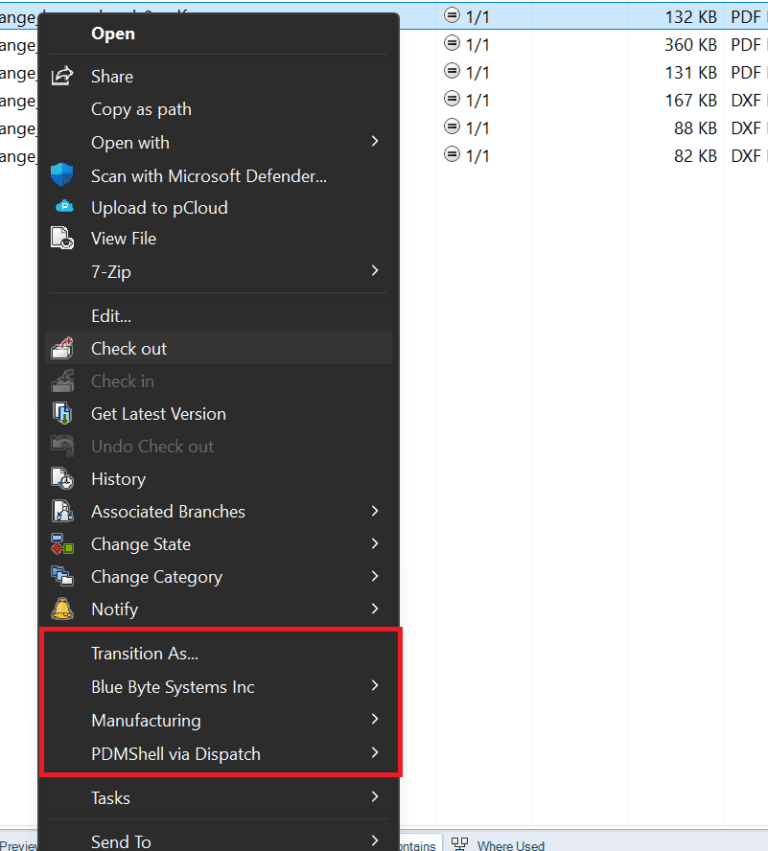
SOLIDWORKS PDM TIP: Creating Submenus in SOLIDWORKS PDM with IEdmCmdMgr5::AddCmd
If you’re developing custom add-ins or commands for SOLIDWORKS PDM, you may want to improve the user experience

If you’re developing custom add-ins or commands for SOLIDWORKS PDM, you may want to improve the user experience
When working with the SOLIDWORKS PDM API, it’s important to understand how the system handles state and caching.
When making numerous calls to the same operation in SOLIDWORKS PDM, the batch interfaces (e.g., IEdmBatchAdd2, IEdmBatchChangeState5) are
When developing automation tools or add-ins for SOLIDWORKS PDM, one of the most common mistakes I see is
When writing an add-in for SOLIDWORKS PDM, it is essential to consider compatibility across different versions of the
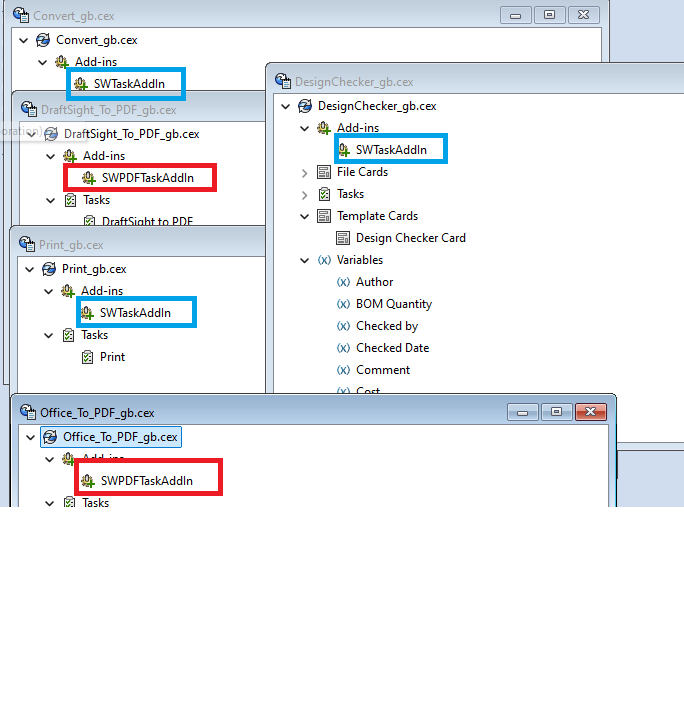
Your add-ins consist of DLL files. Each time an application like explorer.exe logs into PDM, it loads those
