
 USD
USD CAD
CAD EUR
EUR GBP
GBP AUD
AUD NZD
NZD CHF
CHF SEK
SEK NOK
NOK JPY
JPY CNY
CNY INR
INR SGD
SGD MXN
MXN BRL
BRL ZAR
ZAR KRW
KRWPDMPublisher for SOLIDWORKS
Everything you do before a release, in one tab inside SOLIDWORKS. Publish PDF, DWG, DXF and STEP, copy assemblies, fix properties and sync BOMs. No PDM required.
- Free Community Edition, no key
- From US$599 per seat per year
- Certified SOLIDWORKS Solution Partner
 Publish
 Save As New
 Property Doctor
 Clone Tree
 BOM Manager
 ERP Sync
 Publisher Macros
 Annotations
 Conditions
 Simple per seat pricing
Start free, upgrade when you need every format and no limits. The more seats, the lower the price per seat.
Replaces hours of manual exports, renaming and property fixes before every release.
Community
Try it on real work
No key, no expiry
Download free- PDF, DXF and STEP
- Up to 5 references per run
- Property Doctor and Clone Tree, 5 rows
- BOM Manager and ERP Sync, 10 rows
- Publisher Macros
Single seat
For one engineer
per seat per year
About US$67 per month per seat
- All publish formats
- Unlimited references per run
- Every tool, no row limits
- Reusable Save As New destinations
- Yearly license per seat
Team
2 to 4 seats
per seat per year Save 13%
About US$58 per month per seat
- All publish formats
- Unlimited references per run
- Every tool, no row limits
- Reusable Save As New destinations
- Yearly license per seat
Department
5 or more seats
per seat per year Save 25%
About US$50 per month per seat
- All publish formats
- Unlimited references per run
- Every tool, no row limits
- Reusable Save As New destinations
- Yearly license per seat
Purchase order, invoice, or 2 and 3 years upfront (save 10% or 15%)? Request a quote
Prefer to buy through your SOLIDWORKS reseller? PDMShell and PDMPublisher are also sold by our reseller partners. See all resellers
 Hawk Ridge Systems
 Strojotehnika
Community and Premium compared
| Community | Premium | |
|---|---|---|
| Price | Free | Per seat, yearly |
| Publish formats | PDF, DXF, STEP | All supported formats |
| References per run | Up to 5 | Unlimited |
| Property Doctor, Clone Tree | Up to 5 rows | Unlimited |
| BOM Manager, ERP Sync | Up to 10 rows | Unlimited |
| Reusable Save As New destinations | ||
| Publisher Macros (VBA) | ||
| Works without SOLIDWORKS PDM |
Publishing and prep, without leaving SOLIDWORKS
PDMPublisher adds its own tab to the CommandManager. Save publishing profiles once and reuse them for parts, assemblies and drawings.
PublishPDF, DWG, DXF, STEP, eDrawings and more, with your naming and output paths.
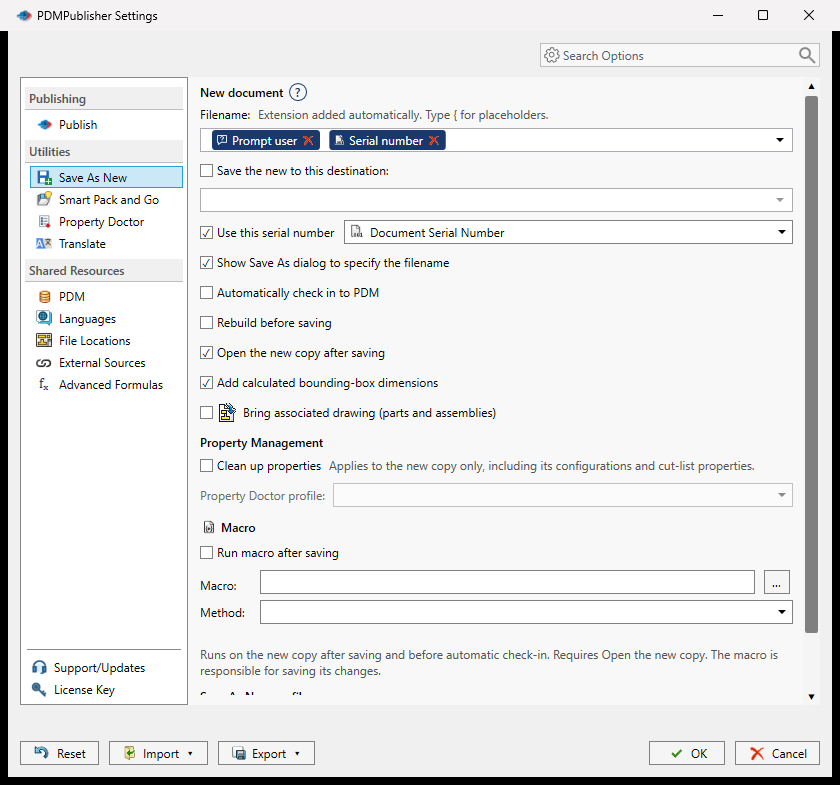
Save As NewNative copies with reusable naming profiles and PDM serial numbers.
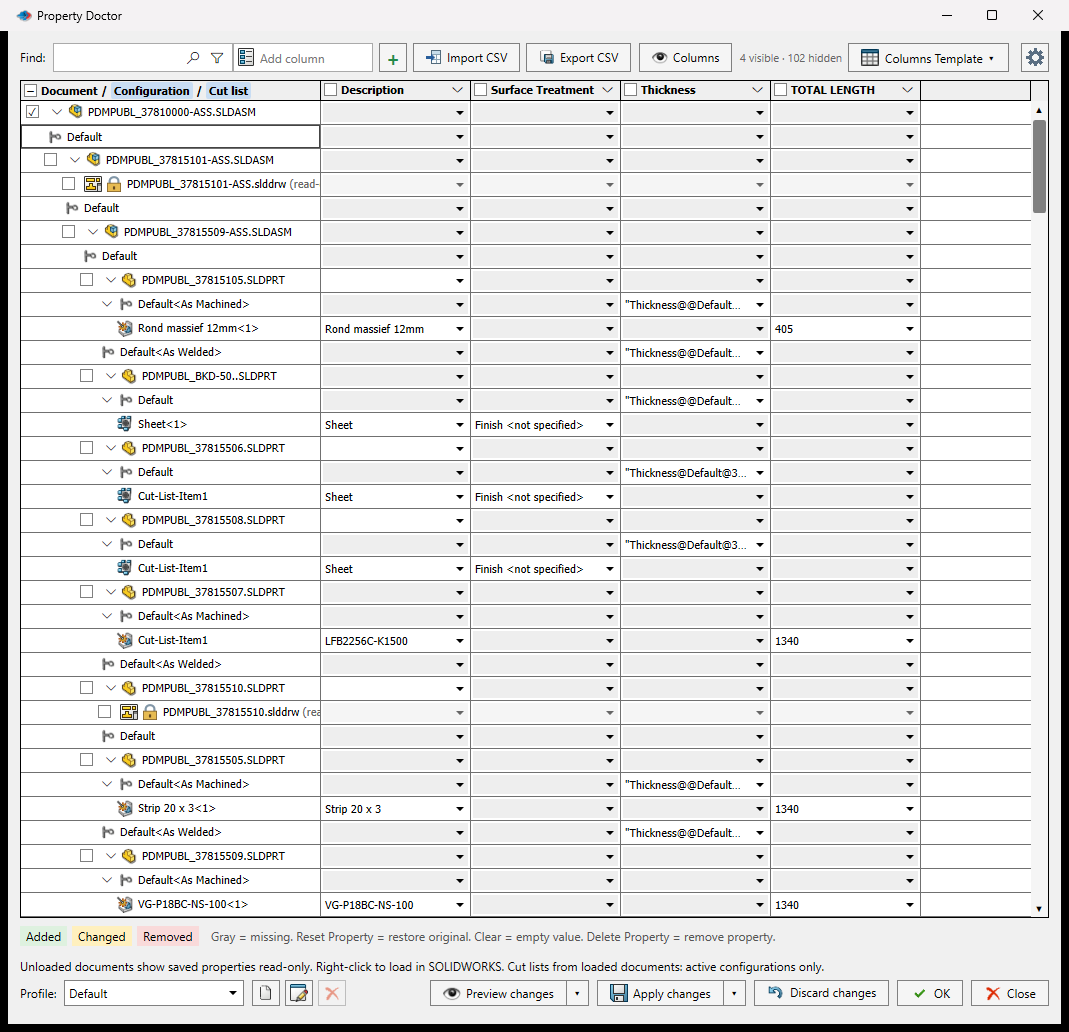
Property DoctorEdit custom, configuration and cut list properties across an assembly.
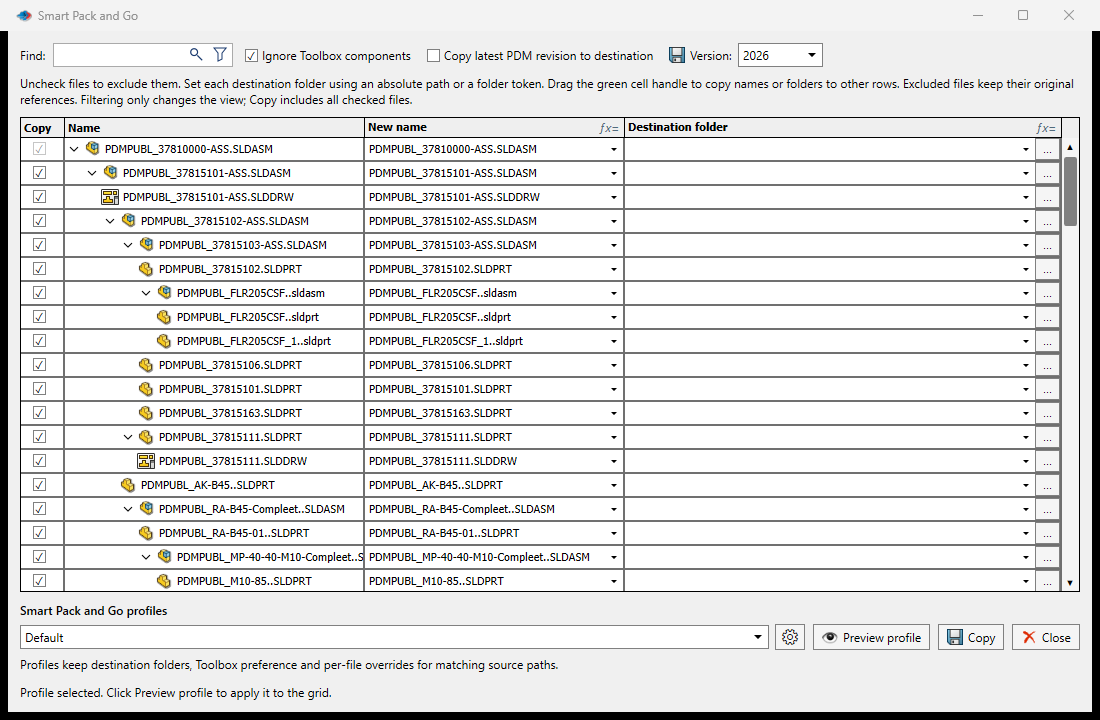
Clone TreeCopy an assembly and its references with new names and folders.
BOM ManagerIndented or flat BOMs with custom columns and Excel import and export.
ERP SyncPush items and BOMs to Odoo, ERPNext or Business Central.
Publisher MacrosBuilt-in VBA editor that drives every tool.
AnnotationsStamp watermarks, QR codes and text on every output.
ConditionsPublish only the files that match your AND and OR rules.
See it in action
Real screens from the product.
Which PDMPublisher do I need?
SOLIDWORKS add-in
PDMPublisher for SOLIDWORKS
Runs inside SOLIDWORKS on each engineer's computer. One-click publishing, Property Doctor, Clone Tree and BOM tools. Choose this for on-demand publishing per seat.
PDM Professional task
PDMPublisher
Runs on your PDM server and publishes automatically on workflow transitions, for the whole team. Choose this for hands-off publishing on release.
View PDMPublisher →Questions
Not sure? Book a short call and we will help you choose.
Do I need SOLIDWORKS PDM?
No. The add-in works with or without a PDM vault view, so designers can publish and prepare files on any workstation.
Is there a free version?
Yes. The Community Edition is free with no key and no expiry. It publishes PDF, DXF and STEP and has per run limits.
Can I upgrade later?
Yes. A Premium license removes the Community limits on the same installation. Nothing to reinstall.
How does team pricing work?
Premium is priced per seat per year. Choose the number of seats when you order and the price per seat drops automatically at 2 and 5 seats.
Can I pay by purchase order or buy several years?
Yes. Request a quote for purchase orders, invoices, or 2 and 3 year terms paid upfront (save 10% or 15%).
Publish your next release in one click
Start with the free Community Edition or a Premium trial. Upgrade on the same installation.