
 USD
USD CAD
CAD EUR
EUR GBP
GBP AUD
AUD NZD
NZD CHF
CHF SEK
SEK NOK
NOK JPY
JPY CNY
CNY INR
INR SGD
SGD MXN
MXN BRL
BRL ZAR
ZAR KRW
KRW
Cleaner folder views across the vault
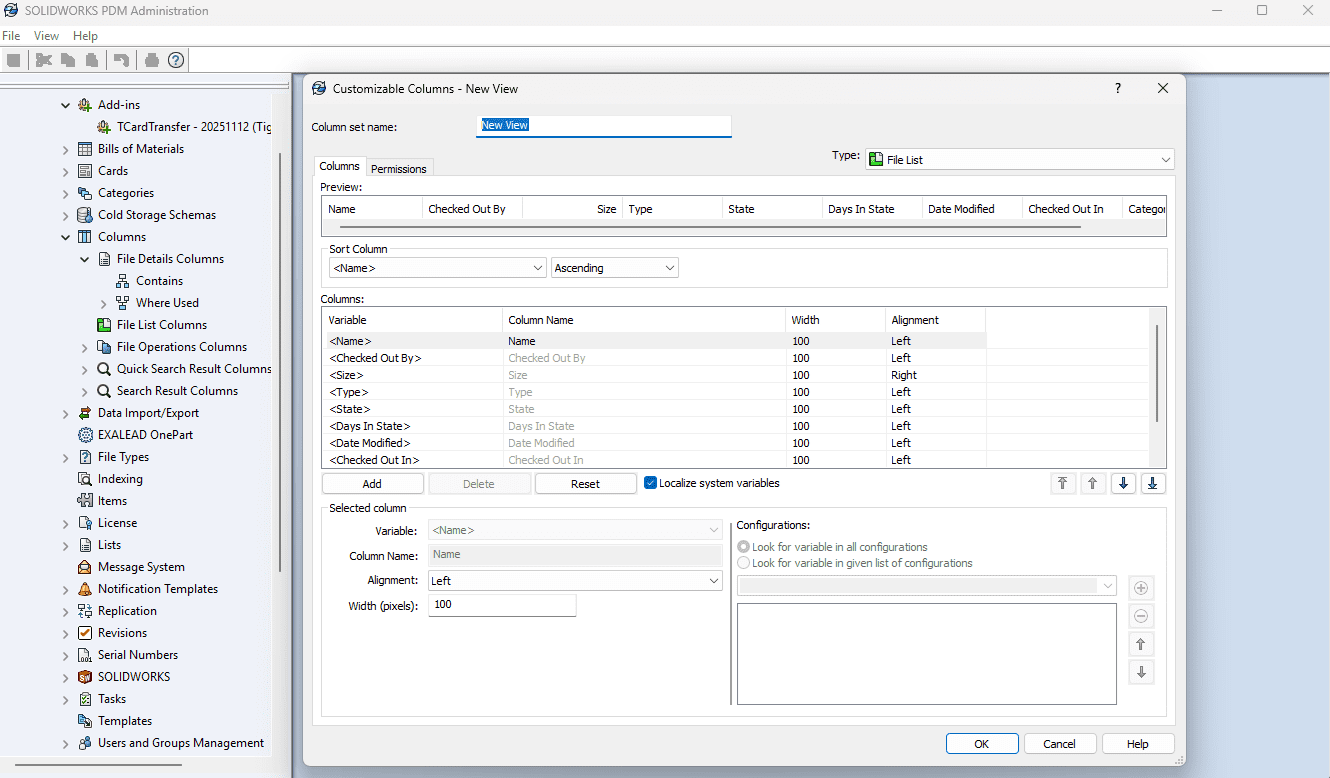
Folder Columns Manager gives SOLIDWORKS PDM administrators one place to control which variables and properties users see in each folder.
Define column sets once, map them to folders, and every user gets a view that fits the work in that part of the vault.
Who it is for
- PDM administrators who maintain column views by hand today
- Vaults with different needs per department, project or customer
Right-click access
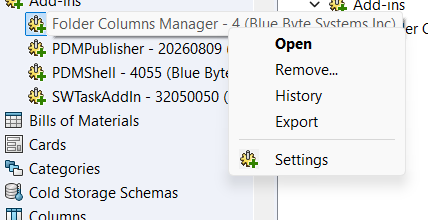
Open the manager on the selected folder from PDM.
Reusable column sets
Choose which variables and properties are shown.
Folder mapping
Assign different column sets to different folders.
Default layouts
Set a baseline view for the whole vault.
Central administration
Change a set once and every mapped folder follows.
Consistent views
Standardize what users see across the vault.
What it does
Folder Columns Manager lets a PDM administrator choose which column set users see in File Explorer, per PDM group and per folder. Set it up once and every managed user gets the right columns automatically.
Setup
- Open Settings. In the PDM Administration tool, expand Add-ins, right-click Folder Columns Manager and choose Settings.
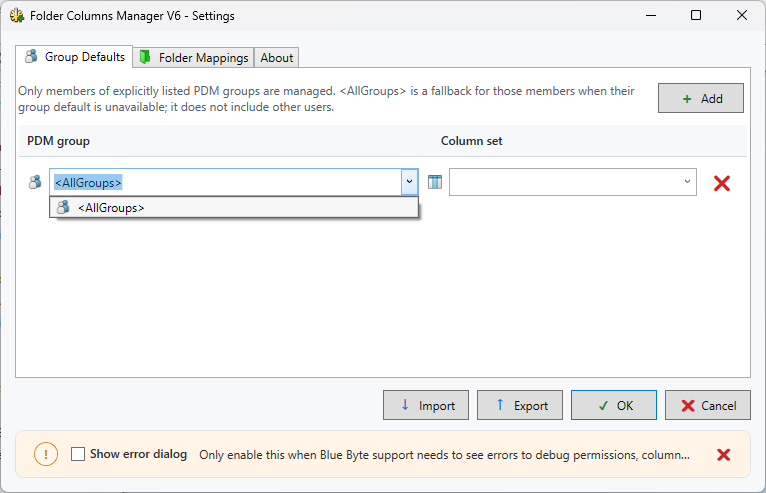
- Group Defaults. Click Add, pick a PDM group and the column set its members should see. Only the groups you list are managed.
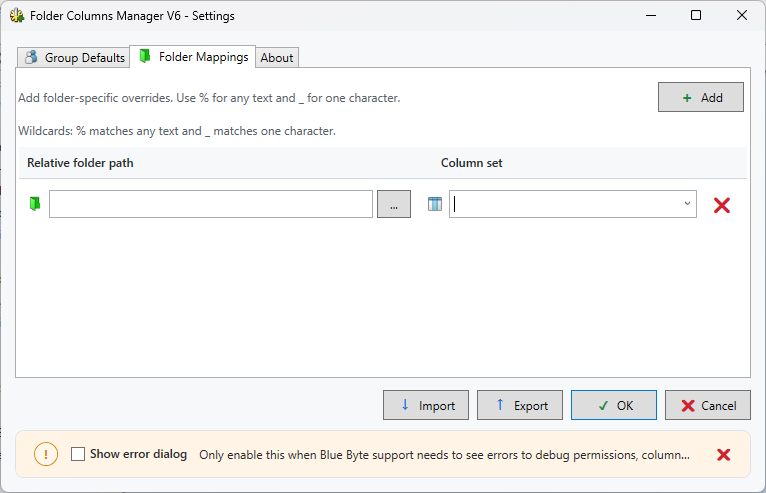
<AllGroups>is the fallback for those members. - Folder Mappings. Click Add, enter a relative folder path and its column set. Inside that folder it overrides the group default.
Premium: wildcards
Premium lets one folder mapping cover many folders. % matches any text and _ matches one character. For example Projects%Drawings applies to the Drawings folder of every project.
Premium is a one-time payment. Contact us for help with setup.
Which PDM version is required?
SOLIDWORKS PDM Professional 2024 or later.
Who uses it?
PDM administrators. End users simply see the columns mapped to each folder.
More from
 PDMPublisherA SOLIDWORKS PDM Professional task that publishes PDF, DXF, STEP and more on every release, with names, merges…US$1,499.00 for 1 yearView product
 PDMShellCommand line and workflow automation for SOLIDWORKS PDM Professional, with an MCP server for Claude and Codex.US$999.00 / yearView productPDMPublisher (SOLIDWORKS)A SOLIDWORKS add-in that publishes, copies, fixes properties and syncs BOMs from one CommandManager tab. No PDM required.US$799.00 for 1 yearView product