
 USD
USD CAD
CAD EUR
EUR GBP
GBP AUD
AUD NZD
NZD CHF
CHF SEK
SEK NOK
NOK JPY
JPY CNY
CNY INR
INR SGD
SGD MXN
MXN BRL
BRL ZAR
ZAR KRW
KRW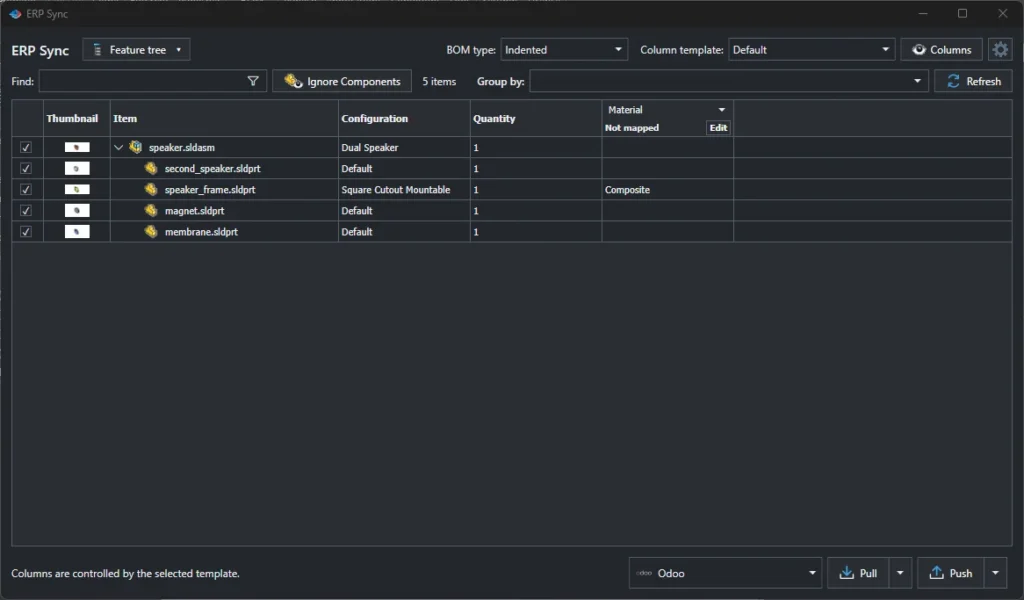

There are two common ways to get SOLIDWORKS BOMs into Odoo without retyping them. A direct add-in, such as PDMPublisher ERP Sync, runs inside SOLIDWORKS and writes straight to Odoo. A cloud BOM service, such as OpenBOM, copies the BOM into its own online database first and syncs that database with Odoo. Both work. Which one fits depends on whether you want one more system in the middle.
How a direct add-in works
The add-in reads the open assembly in SOLIDWORKS, compares it with Odoo and, after you review the changes, creates products, fills fields and builds the bill of materials. The data goes from the engineer’s computer to your Odoo database and nowhere else. There is no second BOM to keep in step.
How a cloud BOM service works
A cloud BOM service adds its own BOM database between CAD and ERP. Engineers publish BOMs from SOLIDWORKS to the service, people edit and share them there, and a separate connector sends them on to Odoo. Its strength is that BOM itself: it can collect data from several CAD systems, let suppliers and purchasing work on a shared BOM, and track BOM changes outside the CAD files.
Side by side
| Direct add-in | Cloud BOM service | |
|---|---|---|
| Where the BOM lives | In SOLIDWORKS and Odoo | In SOLIDWORKS, the cloud service and Odoo |
| Data path | SOLIDWORKS to your Odoo | SOLIDWORKS to the service, then to Odoo |
| Systems to manage | One add-in | A service, its users and its ERP connector |
| Review before writing to Odoo | Built in | Depends on the service |
| Multi CAD and supplier collaboration | Not the focus | A main strength |
| Works offline from the internet | Yes, with an on premise Odoo | No |
| Also included | Publishing, BOM Manager, Pack and Go, Property Doctor | BOM management features |
When a direct add-in is the better fit
- SOLIDWORKS is your only CAD system.
- Your IT or customers do not want design data passing through another cloud provider.
- You want the SOLIDWORKS assembly to stay the single source of truth.
- You want to try it today on your own Odoo database, for free.
When a cloud BOM service is the better fit
- You run several CAD systems and want one BOM across them.
- Suppliers or purchasing need to edit the BOM outside CAD and ERP.
- You are happy to manage one more platform and its subscriptions.
Try the direct route first
The free Community Edition of PDMPublisher for SOLIDWORKS runs ERP Sync on up to 10 rows, enough to push a small assembly to a test Odoo database. Start with our guide to mapping SOLIDWORKS properties to Odoo fields, and if you are also weighing a custom build, read what a custom SOLIDWORKS Odoo integration really costs.
Everything ERP Sync does, with pricing and a demo link, is on our SOLIDWORKS Odoo integration page.