
 USD
USD CAD
CAD EUR
EUR GBP
GBP AUD
AUD NZD
NZD CHF
CHF SEK
SEK NOK
NOK JPY
JPY CNY
CNY INR
INR SGD
SGD MXN
MXN BRL
BRL ZAR
ZAR KRW
KRW

Suppliers quote from a package, not a folder. Sending forty separate drawing PDFs means forty attachments and a good chance one gets missed. What an estimator actually wants is one PDF: open once, scroll to any part, print the lot.
The manual way
Open each drawing, save it as PDF, then combine the files in a PDF tool in the right order. Every time the assembly changes, you do it again, and the package quietly goes out of date.
The automatic way
PDMPublisher publishes the assembly and each referenced drawing to PDF, then combines them into one master PDF in processing order. It is one checkbox on top of normal assembly publishing.
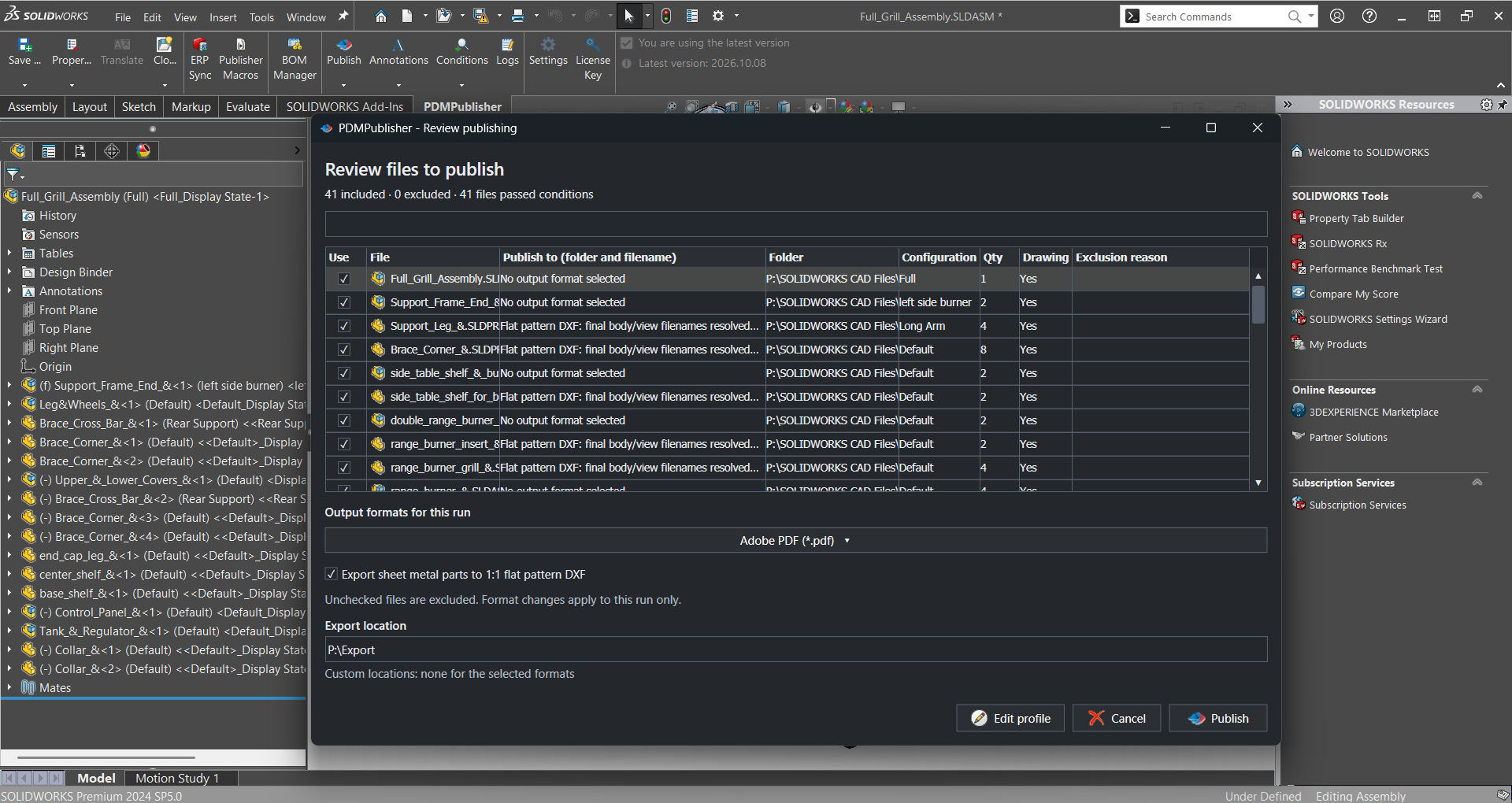
- In the Publish settings, select PDF under File formats.
- Turn on Export references to file formats individually, so PDMPublisher creates the individual PDFs it needs.
- Turn on Merge exported PDFs into one master PDF.
- Optionally add a table of contents and bookmarks.
- Publish the assembly from SOLIDWORKS, or let the PDM Professional task do it on a workflow transition.
Good to know
- Conditions still apply, so the package only contains the drawings of references that pass your rules.
- You can produce the master PDF, the individual PDFs, STEP files and a ZIP from the same job.
- Run it on the release transition and every released assembly gets an up-to-date package, without anyone opening a PDF tool.
Try it on your own files
Start a free 7-day trial of PDMPublisher for SOLIDWORKS, see plans and pricing, or read the full merge guide. Questions? Book a short call with our team.