
 USD
USD CAD
CAD EUR
EUR GBP
GBP AUD
AUD NZD
NZD CHF
CHF SEK
SEK NOK
NOK JPY
JPY CNY
CNY INR
INR SGD
SGD MXN
MXN BRL
BRL ZAR
ZAR KRW
KRW

Custom properties drive title blocks, BOMs, PDM data cards and ERP records, and they are the first thing to drift in a large assembly: Material written three different ways, Description missing on half the parts, a Revision never updated on the configurations.
The manual way
Open each part, open File > Properties, fix the value, save, close, next. For 60 parts this never gets done, so the BOM ships with blanks.
One grid for the whole assembly
Property Doctor in PDMPublisher for SOLIDWORKS opens the active document and every reference in one editable grid: document rows, configuration rows and cut lists, with one column per property.
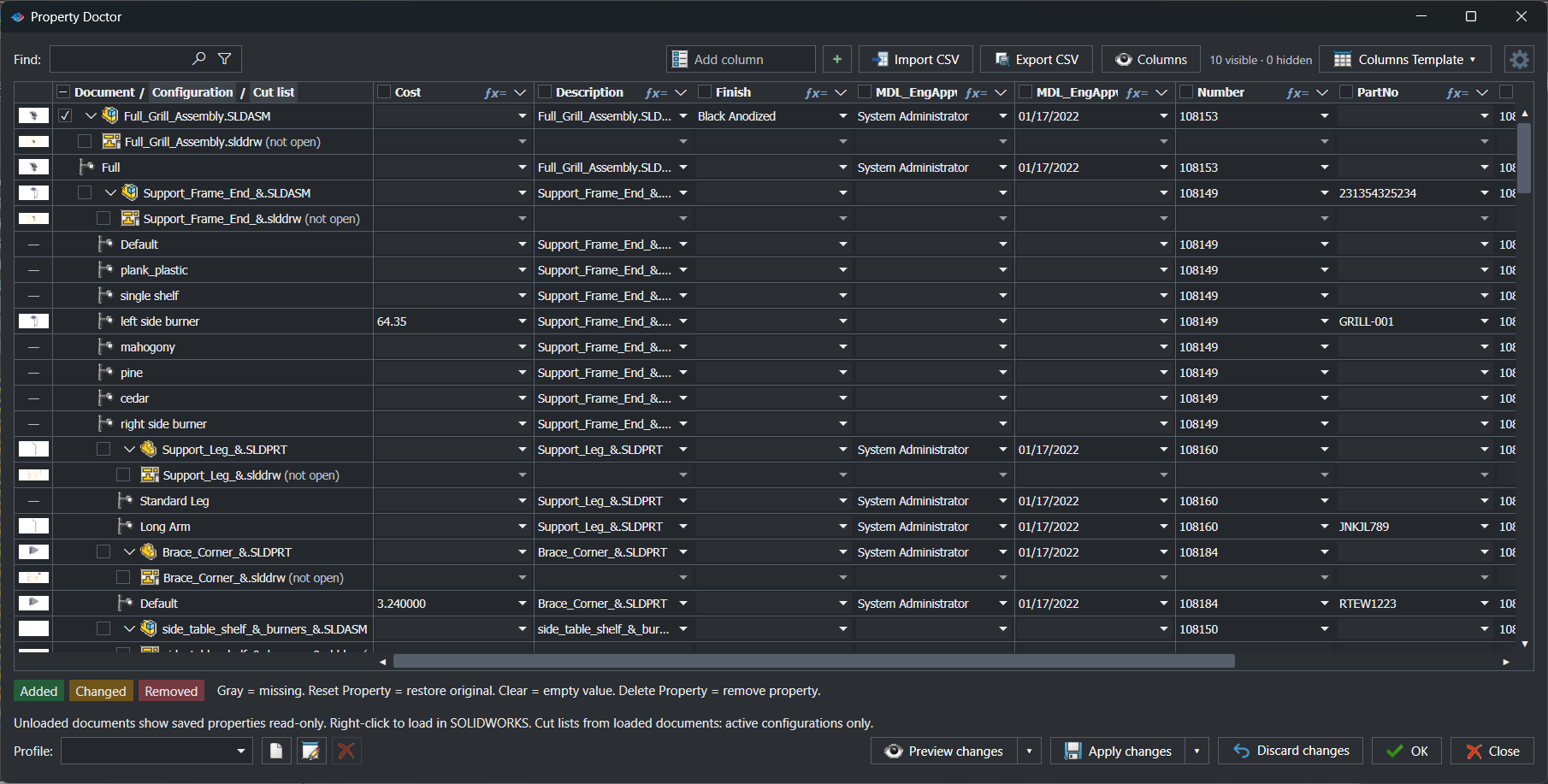
- Gray cells show missing properties at a glance.
- Edit by typing, fill down with the cell handle, find and replace with regular expressions, or import a CSV.
- Pull values from document data, linked values, formulas, PDM information or SQL Server.
- Every change is marked Added, Changed or Removed until you select Apply changes.
Make it repeatable
Save an ordered list of fixes as a Property Doctor profile, such as a Release cleanup that sets Description from a formula and removes obsolete properties. Preview it on any assembly before it writes anything, and share it with the team.
Try it on your own files
Start a free 7-day trial of PDMPublisher for SOLIDWORKS, see plans and pricing, or read the Property Doctor guide. Questions? Book a short call with our team.