
 USD
USD CAD
CAD EUR
EUR GBP
GBP AUD
AUD NZD
NZD CHF
CHF SEK
SEK NOK
NOK JPY
JPY CNY
CNY INR
INR SGD
SGD MXN
MXN BRL
BRL ZAR
ZAR KRW
KRW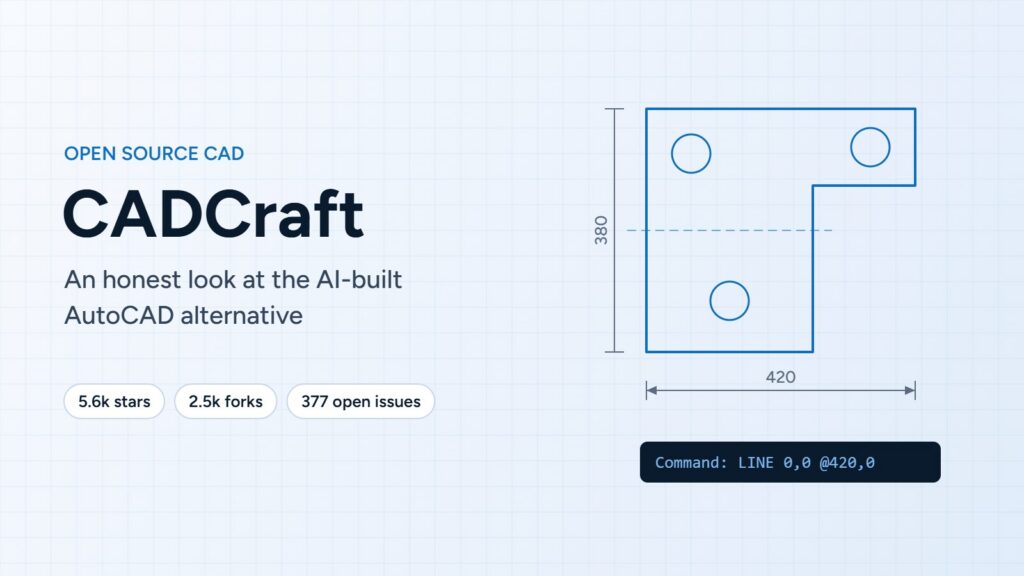

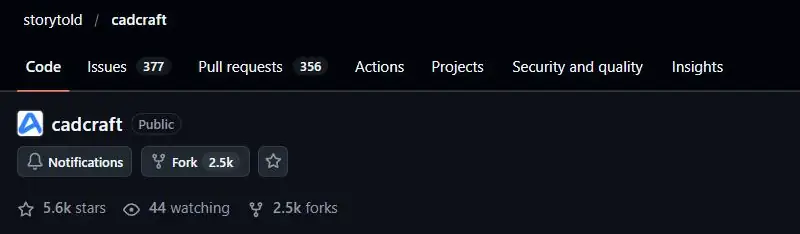
In early October 2026 a project called CADCraft showed up on GitHub, and within days it was all over my LinkedIn feed and the CAD forums I follow. It describes itself as a free, open source, clean-room reimplementation of AutoCAD, written in Rust, built largely by AI coding agents, and designed so that AI agents can drive it. In about ten days it passed 5,600 stars and 2,500 forks, which is a lot of attention for a CAD project.
Some people called it the end of Autodesk. Others called it AI slop. I wanted to see for myself, so I spent an evening in the repository, the documentation and the issue tracker. I build CAD automation tools for a living, and I have no stake in who wins here. I just care about what actually works for engineers and drafters.
All the numbers below come from the public repository on October 17, 2026. They change every day.
What CADCraft is, and what it is not
CADCraft comes from the ArtCraft team, the same group that released open source look-alikes of Photoshop, Illustrator, Word and Excel a week earlier. The code is under the MIT or Apache 2.0 licence, so anyone can use it, change it and even sell it.
A few things surprised me once I looked past the headlines:
- It only targets AutoCAD. It is a 2D drafting tool with the AutoCAD command line, object snaps, layers, dimensions, hatches, blocks and paper space layouts. It does not replace Inventor, Revit, Civil 3D or Fusion, and its own roadmap puts 3D modelling at about 2 percent.
- It is not an AI that designs for you. The AI part is twofold. Most of the code was written by Claude agents, and the project says the first 51,000 lines took roughly 11.5 agent hours. And the finished app can be driven by an AI agent over MCP, a JSON control channel or a command line tool. That is close to how PDMShell works with Codex, where you ask your vault questions in plain English.
- It is labelled pre-alpha. The roadmap rates it at about 50 percent of AutoCAD’s menu commands, and about 38 percent ready for real work.
I have to give the team credit here. They are more honest about their gaps than most commercial release notes I read. Most of the hype comes from people who never opened the roadmap.
What the bug list tells me
Whenever I look at a young project, I go straight to the issue tracker. It shows what real people hit when they try the tool on real work. When I checked, CADCraft had 695 issues, 377 of them still open, and about 356 open pull requests.
Going through the open critical and high priority items, I would sort the problems into four groups.
1. Opening and saving real DWG files
This is the biggest group and, in my opinion, the one that matters most. People report DWG files that will not open on macOS, a large DWG that runs past a memory limit, viewport twist being lost on save, layouts written to the wrong sheet so other CAD programs show empty sheets, Civil 3D objects disappearing, and drawings that simply look different from how they look in AutoCAD.
The project’s own file format notes rate DWG support at about 30 percent for reading and 15 percent for writing, and say that anything CADCraft does not understand is dropped when you save. That is the part that would worry me as a drafter. I can live with a missing command. I cannot live with a tool that quietly removes things from a drawing a client sent me. If all you need is clean DXF output from SOLIDWORKS, a small macro like exporting named sketches to DXF is still the safer route today.
2. Crashes and platform problems
Several of the open critical issues are crashes, mostly on older Intel Macs: crashing on quit, crashing when resizing a file window, and failing to start on certain graphics chips. These are normal growing pains for a cross-platform app on a new graphics stack. The code itself is written defensively, with a guard around every command, which I liked to see, but the team still rates stability at about 35 percent.
3. Precision and 3D basics
A cluster of reports shows the Z coordinate getting lost: typed points that drop their third number, MOVE and COPY ignoring a Z offset, and 3D polylines drawn flat. Others mention tangent snaps not working on circles and angular dimensions that cannot pick lines. All fixable, but these are exactly the small details that decide whether a drafter trusts a tool.
4. Unfinished interface
Buttons in the Properties window that do nothing, an incomplete Blocks palette, printing that fails on Windows, a ViewCube you cannot drag, missing translations. Annoying, but expected for something a few weeks old.
So does it have merit?
I think it does, with a clear limit. What impressed me:
- The pace is real. Over 300 issues were closed in roughly ten days, and fixes often land within hours because AI agents do much of the work.
- The project is well organised, with priority labels, duplicates closed and documentation that tells you exactly what is missing.
- The idea of driving a CAD tool entirely through commands an agent can call is genuinely useful. It is the same direction I have been taking with Claude and SOLIDWORKS through MCP and with the PDMShell MCP server for SOLIDWORKS PDM.
But the hardest part of replacing AutoCAD was never drawing lines. It is opening and saving every DWG that a customer, a supplier or a city office sends you, without losing anything, across decades of file versions and vertical products. That is where most of CADCraft’s critical bugs are, and it is where AI speed helps the least, because you need a big library of real customer files to test against. The project says this itself.
My view: CADCraft is a serious experiment and already handy for light 2D work, scripting and generating drawings from an agent. If scripting a CAD tool is new to you, my SOLIDWORKS VBA guide for beginners is a gentle place to start. I would not put it between me and a client deadline yet.
What about copyright and IP?
This is where most of the online arguments are. I am not a lawyer, so here is simply how it looks to me as a software developer.
- The code looks original. The project has strict rules against reading anything inside the AutoCAD install, and against copying Autodesk fonts, hatch patterns, linetypes, templates, icons or help text. Every icon, font and pattern is defined in the project’s own code, and the build fails if an asset has no recorded source. That is a careful setup.
- The workflow is copied on purpose. CADCraft uses AutoCAD’s command names, prompts and keyboard habits. That is nothing new. BricsCAD, ZWCAD and the IntelliCAD family have offered AutoCAD-style commands for years, and compatibility with a familiar workflow is generally treated as fair game.
- The licence agreement is the soft spot. The project’s own notes say AutoCAD is installed on the developer’s machine and observed as a reference. Autodesk’s usage policy says customers must not replicate the functionality of its products, including with AI. Whether that matters in practice is for lawyers to decide, but it is the question I would want answered first if I were in their shoes.
- Names and branding look fine. CADCraft mentions AutoCAD only to describe compatibility and clearly says it is not affiliated with Autodesk. Many products read and write DWG files today.
- Patents are a quiet unknown. Autodesk holds patents on parts of its interface, including the ViewCube, and CADCraft has a ViewCube. A clean-room approach protects you from copying code, not from patents.
- There are supply chain questions. DWG support comes from a separate open source library, and its documentation does not explain how its DWG knowledge was gathered. If I were rolling CADCraft out in a company, I would want to know that before anything else.
How might Autodesk respond?
Autodesk has not said anything publicly that I could find, so this is my own guess based on how big software companies usually react:
- Wait and watch. A pre-alpha 2D tool with weak DWG writing is not a threat to AutoCAD’s core customers yet, and going after a popular open source project can backfire.
- Tighten the terms. I would not be surprised to see clearer rules around automated and AI use of Autodesk products.
- Move value where it is hard to copy. Full DWG fidelity with Civil 3D and Plant 3D, cloud features and the Autodesk Platform Services ecosystem cannot be cloned from the outside. Expect more of the value to move there.
- Compete on price and AI. From what I see, the loudest complaint behind the CADCraft excitement is subscription pricing, not missing features. Cheaper entry plans and faster AI features inside AutoCAD would take a lot of the air out of it.
What I would do as a CAD user
- Try it, but on copies. Open a few of your own DWG files, save them, and reopen them in AutoCAD or your current tool. That one test tells you more than any review, including this one.
- Keep production work where it is for now. Losing data on save is a documented limitation, not a rumour.
- Watch the agent side. Generating and checking drawings from a script or an AI assistant is useful today, even if you keep AutoCAD for the final work. If you already script SOLIDWORKS or PDM, the same ideas apply. I cover that in writing PDM scripts with ChatGPT, Claude or Ollama and in SOLIDWORKS AI compared with ChatGPT.
- Use it at renewal time. A free alternative you have actually tested gives you a better position when you negotiate seats, even if you never switch.
- Count the hidden costs. Open source usually comes with no support and no guarantees. I made a similar point comparing PDMShell and PowerShell for CAD admins. The same build versus buy thinking I wrote about in what a custom integration really costs applies here.
At Blue Byte Systems we build automation for SOLIDWORKS and SOLIDWORKS PDM, not 2D drafting, so I will be watching CADCraft mostly for its agent-driven side. If you want to see where agent-driven CAD automation is already practical today, the SOLIDWORKS APIs and what is new in the SOLIDWORKS 2027 API are good places to start, along with my practical guide to the SOLIDWORKS PDM API.