
 USD
USD CAD
CAD EUR
EUR GBP
GBP AUD
AUD NZD
NZD CHF
CHF SEK
SEK NOK
NOK JPY
JPY CNY
CNY INR
INR SGD
SGD MXN
MXN BRL
BRL ZAR
ZAR KRW
KRW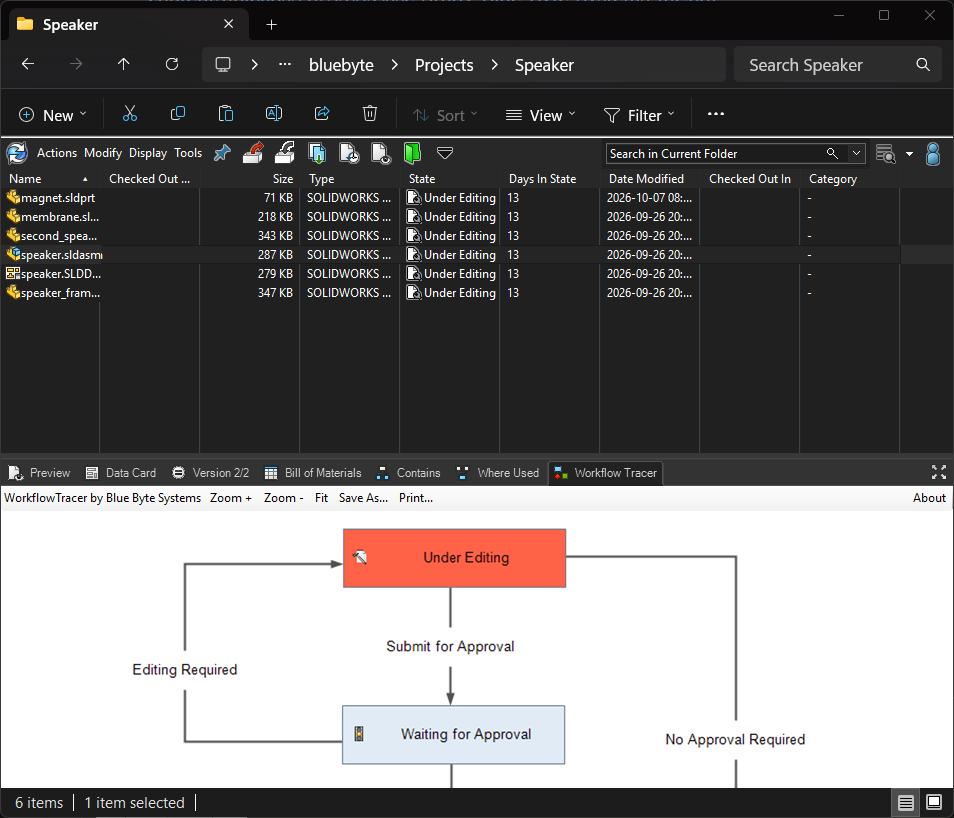
How it works
A new tab in PDM File Explorer, next to Preview, Data Card, Version and Bill of Materials.
- Add the add-in to your vault with the PDM Administration tool.
- Select a file in PDM File Explorer and open the Workflow Tracer tab.
- Read the diagram. The current state is highlighted and every transition is labelled. Use Zoom, Fit, Save As or Print from the toolbar.
Installing the add-in
New to PDM add-ins? This walkthrough shows how to add an add-in to your vault with the PDM Administration tool.
