
 USD
USD CAD
CAD EUR
EUR GBP
GBP AUD
AUD NZD
NZD CHF
CHF SEK
SEK NOK
NOK JPY
JPY CNY
CNY INR
INR SGD
SGD MXN
MXN BRL
BRL ZAR
ZAR KRW
KRW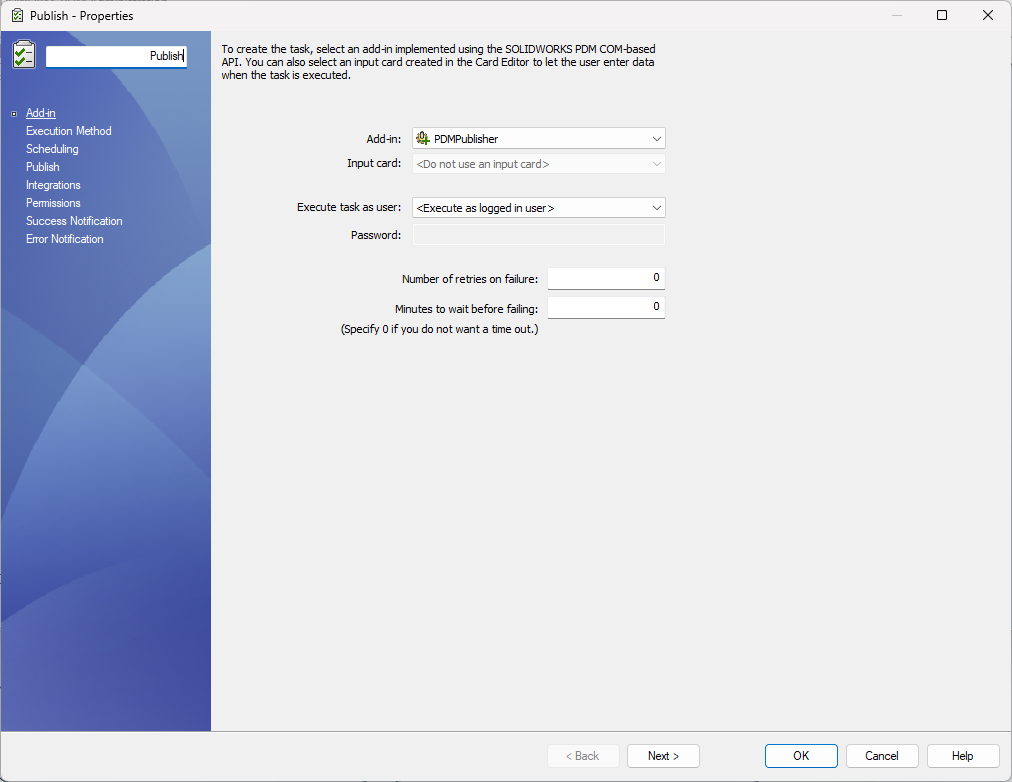

PDMPublisher comes in two editions: PDMPublisher for SOLIDWORKS, an add-in that runs inside SOLIDWORKS, and PDMPublisher for SOLIDWORKS PDM, a task that runs in your vault. They share a name and both produce PDF, DXF and STEP files, so a common question is simple: which one do I need? This article puts them side by side so you can decide in a few minutes.
The short answer: pick PDMPublisher for SOLIDWORKS if engineers publish and prepare files themselves while they work in SOLIDWORKS, with or without PDM. Pick PDMPublisher for SOLIDWORKS PDM if you want release files produced automatically when files change state in the vault, for the whole team.
At a glance
| PDMPublisher for SOLIDWORKS | PDMPublisher for SOLIDWORKS PDM | |
|---|---|---|
| What it is | A SOLIDWORKS add-in with a single PDMPublisher tab | A SOLIDWORKS PDM Professional task add-in |
| Where it runs | Inside SOLIDWORKS on each engineer’s computer | On the PDM task host, triggered from the vault |
| Who uses it | Designers and engineers | Everyone in the vault, without lifting a finger |
| Needs SOLIDWORKS PDM | No. Works with or without PDM | Yes. PDM Professional 2018 SP0 or later |
| How it runs | On demand, one click from the CommandManager | On workflow transitions, from the right-click menu or on a schedule |
| Publishing | PDF, DWG, DXF, STEP, eDrawings and more, with naming and output folders | PDF, 3D PDF, DWG, DXF, STEP, IGES, Parasolid, STL, 3MF, IFC, eDrawings, images and Office to PDF |
| Beyond publishing | Save As New, Property Doctor, Clone Tree, BOM Manager, ERP Sync, Publisher Macros | PDF merging, stamps and watermarks, data card based naming, flat patterns, task logging |
| Licensing | Per seat, per year, with lower prices for teams | Per vault, per year, unlimited users |
| Price | From SEK 6,319 per seat per year | SEK 15,799 per vault per year |
| Free option | Community Edition, free with no key and no expiry | 7-day trial in your own vault |
Prices are shown in your selected currency. Paying for 2 or 3 years upfront saves 10% or 15%.
PDMPublisher for SOLIDWORKS
PDMPublisher for SOLIDWORKS puts everything an engineer does before a release into one tab inside SOLIDWORKS. It is the right choice when the people doing the work are the ones who need the outputs, and when you want them to do it in one click rather than opening and saving every file by hand.
- Publish PDF, DWG, DXF, STEP, eDrawings and more, with your own naming and output folders.
- Save As New makes native copies with reusable naming profiles and PDM serial numbers.
- Property Doctor edits custom, configuration and cut list properties across an entire assembly.
- Clone Tree copies an assembly and its references with new names and folders.
- BOM Manager and ERP Sync build indented or flat BOMs and push items to Odoo, ERPNext or Business Central.
- Publisher Macros is a built-in VBA editor that drives every tool.
It does not need SOLIDWORKS PDM, so it also fits teams that keep files on a network share. The free Community Edition covers PDF, DXF and STEP with limits on references and rows, and Premium removes every limit on the same installation.
See PDMPublisher for SOLIDWORKS pricing and features
PDMPublisher for SOLIDWORKS PDM
PDMPublisher for SOLIDWORKS PDM is a task that runs on your PDM task host. When a file reaches a workflow state you choose, it exports the drawings, models and documents your shop floor, suppliers and ERP need, then names, merges, stamps and files them using data card variables. Nobody has to remember to publish, and every output matches the released revision.
- Publish automatically on workflow transitions, from the right-click menu or on a schedule, including CSV batches.
- Merge drawings into master PDFs with a table of contents and bookmarks.
- Stamp data card values, BOM quantities, text and watermarks on PDFs.
- Apply conditions on PDM variables, file names, folders and configurations.
- Build file names and export paths from data card variables.
- Export sheet metal flat patterns to 1:1 DXF and log every file produced.
One license covers a whole vault with unlimited users and unlimited concurrent task runs, which makes it the most economical option for larger teams that release through PDM.
See PDMPublisher for SOLIDWORKS PDM pricing and features
Which one should you choose?
| If you need to… | Choose |
|---|---|
| Let engineers publish PDF, DXF and STEP in one click while they work | PDMPublisher for SOLIDWORKS |
| Fix properties across an assembly or copy a design with new names | PDMPublisher for SOLIDWORKS |
| Send BOMs and items to your ERP from SOLIDWORKS | PDMPublisher for SOLIDWORKS |
| Publish without SOLIDWORKS PDM, on a network share | PDMPublisher for SOLIDWORKS |
| Produce release files automatically when a file is approved | PDMPublisher for SOLIDWORKS PDM |
| Merge, stamp and name PDFs from data card variables | PDMPublisher for SOLIDWORKS PDM |
| Run publishing on a schedule or in batches from the vault | PDMPublisher for SOLIDWORKS PDM |
| Give a large team publishing for one vault price | PDMPublisher for SOLIDWORKS PDM |
Can I use both?
Yes. They are separate products with separate licenses. A typical setup is the PDM task producing release files on approval, and the SOLIDWORKS add-in on the desks of engineers who need quick exports, property fixes and copies while they design.
Frequently asked questions
Do I need the SOLIDWORKS add-in if I buy the PDM task?
No. PDMPublisher for SOLIDWORKS PDM runs on its own on the task host. The SOLIDWORKS add-in is only needed if engineers also want to publish on demand from inside SOLIDWORKS.
Which one works without SOLIDWORKS PDM?
Only PDMPublisher for SOLIDWORKS. The PDM task requires SOLIDWORKS PDM Professional.
Can I try them before buying?
Yes. PDMPublisher for SOLIDWORKS has a free Community Edition and a Premium trial, and PDMPublisher for SOLIDWORKS PDM has a 7-day trial in your own vault.
Can I pay by purchase order or buy several years upfront?
Yes. Request a quote for purchase orders, invoices, several vaults or 2 and 3 year terms.
Still not sure?
Tell us how your team works and we will point you to the right edition. Book a 30 minute call or request a quote.
