
 USD
USD CAD
CAD EUR
EUR GBP
GBP AUD
AUD NZD
NZD CHF
CHF SEK
SEK NOK
NOK JPY
JPY CNY
CNY INR
INR SGD
SGD MXN
MXN BRL
BRL ZAR
ZAR KRW
KRWSOLIDWORKS PDM Odoo integration with PDMShell
Sync items, data card properties and bills of materials from your SOLIDWORKS PDM vault to Odoo. Review every change in a side by side preview, then sync from the PDM right-click menu or on release.
Runs inside PDM Explorer. No SOLIDWORKS session, no middleware and no custom code to maintain.

PDM data card
Odoo field
What goes from SOLIDWORKS PDM to Odoo
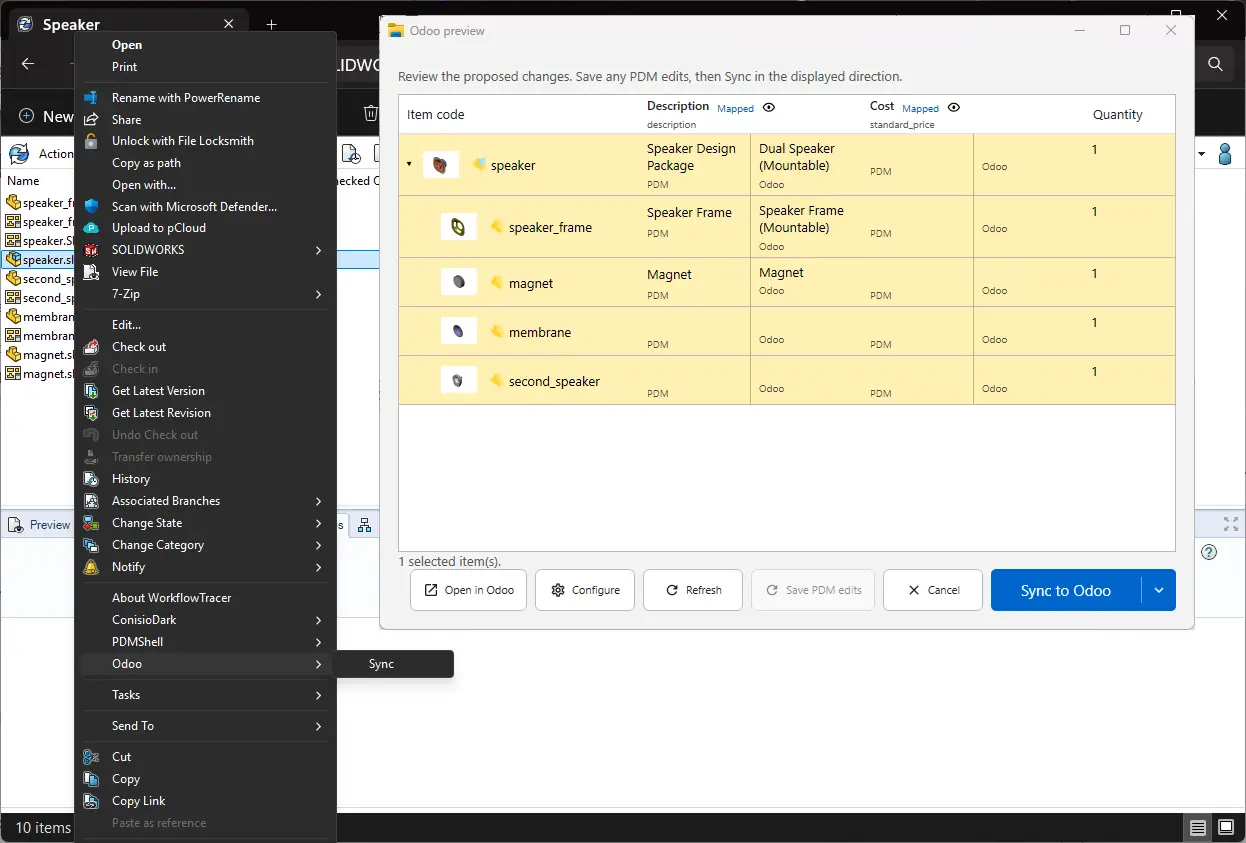
Select a file or an assembly in the vault. PDMShell compares it with Odoo and shows the PDM and Odoo value for every mapped field before anything is written.
- Products
- Missing items are created and existing ones are matched by their Internal Reference, using the item code variable you choose.
- Fields
- Any data card variable or computed BOM column maps to an Odoo field, such as Description to description and Cost to standard_price.
- Bills of materials
- The indented PDM BOM becomes an Odoo BOM, with quantities, the configuration you pick and the BOM type, including subcontracting.
- Both directions
- Push PDM values to Odoo, or pull Odoo values back into the data card. The direction is always shown before you sync.
- Thumbnails
- Vault thumbnails become the Odoo product image. If a file has none, the existing Odoo image is kept.
How it works
Connect the vault once, map your variables, and give your team a one click sync in PDM Explorer.
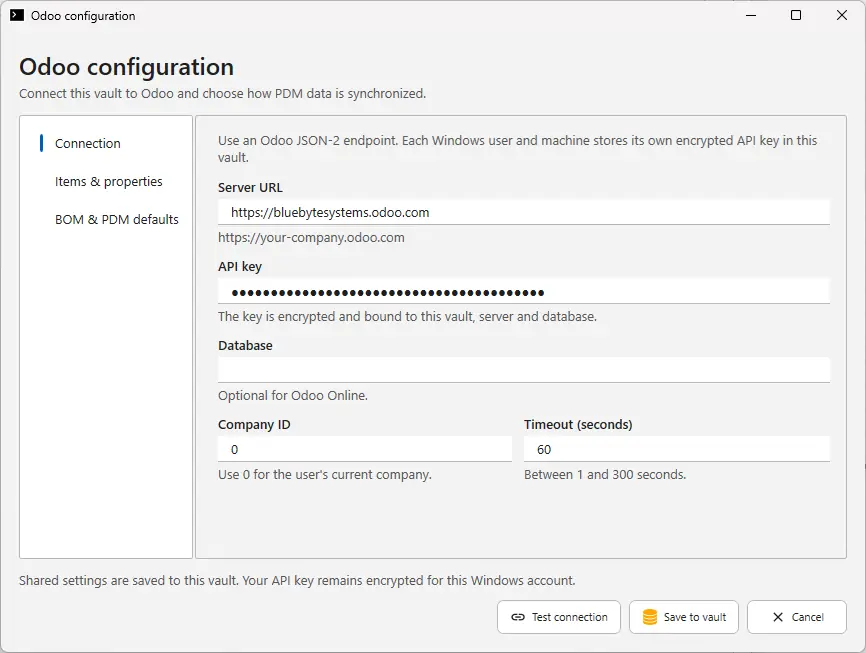
Connect the vault to Odoo
Enter your Odoo URL and an API key, test the connection and save it to the vault. Each user keeps their own encrypted key, while the shared settings are saved once.
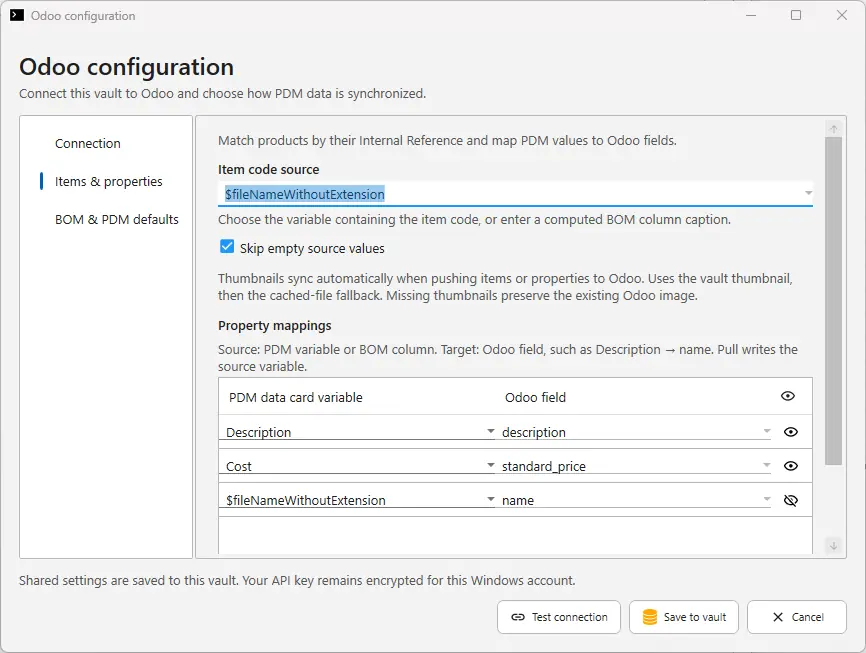
Map items and properties
Choose the item code source and pair each PDM variable with an Odoo field. Skip empty source values so a blank field never wipes data in Odoo.
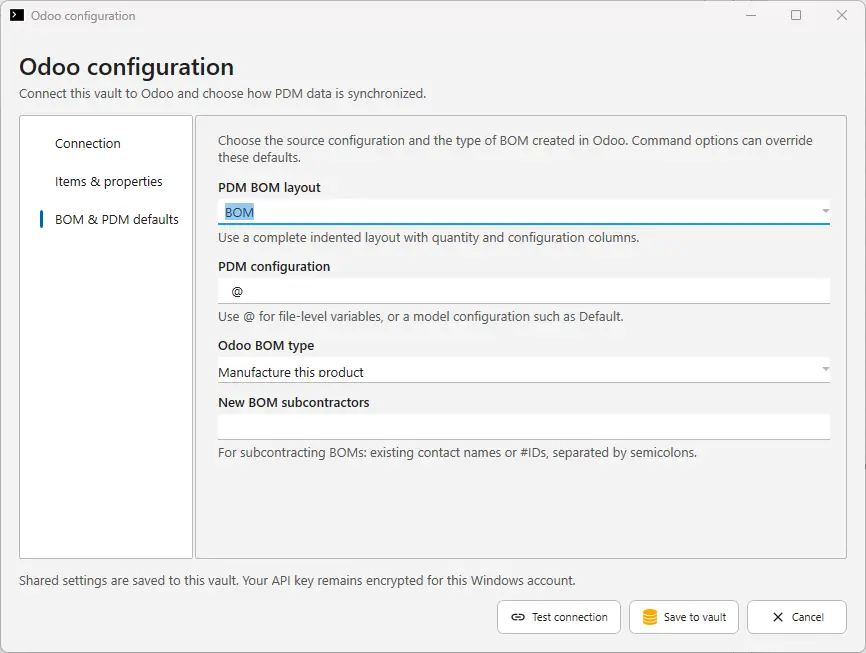
Set the BOM defaults
Pick the PDM BOM layout, the configuration to read and the Odoo BOM type. Scripts can override these defaults when a project needs something different.
Add it to the PDM menu or your workflow
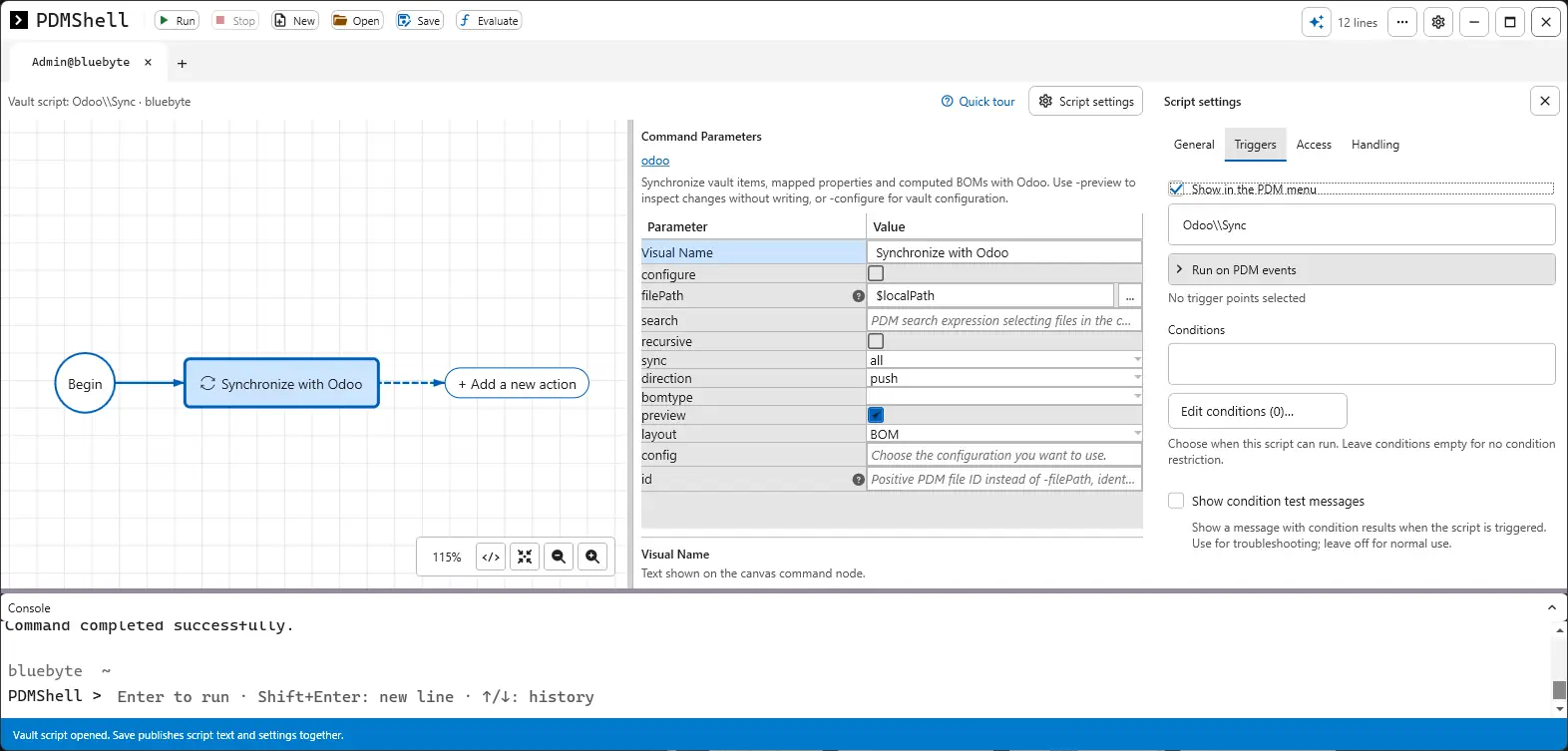
Build a Synchronize with Odoo script in the PDMShell visual editor, then show it in the PDM right-click menu or run it on a workflow transition such as Released.
Works with your Odoo
If your PDM client computers can reach your Odoo server, PDMShell can sync with it.
Odoo Online
Databases such as yourcompany.odoo.com.
Odoo.sh and self hosted
Any Odoo server reachable from your network.
API key sign in
Encrypted per user and bound to the vault.
Multi company
Pick a company ID, or use the current one.
Not sure about your setup? Book a short call and we will check it with you.
PDMShell or PDMPublisher?
Both connect to Odoo. The right one depends on where your item data lives and who runs the sync.
| PDMShell | PDMPublisher ERP Sync | |
|---|---|---|
| Runs from | ✓PDM Explorer, PDM tasks and workflow events | Inside SOLIDWORKS |
| Source data | ✓Data card variables and the PDM BOM | Custom properties and the open assembly |
| Needs SOLIDWORKS open | ✓No | Yes |
| Automatic on release | ✓Yes, from a workflow transition | Run by the engineer |
| Best for | ✓Vault admins and PDM Professional teams | Engineers working in SOLIDWORKS |
Working in SOLIDWORKS without PDM? See the SOLIDWORKS Odoo integration with PDMPublisher.
Guides
Questions
Do I need SOLIDWORKS installed to sync with Odoo?
No. PDMShell reads the data card variables and the computed PDM BOM straight from the vault, so the sync runs from PDM Explorer or a PDM task without opening SOLIDWORKS.
How are products matched in Odoo?
By the Internal Reference. You choose which variable holds the item code, for example the file name without extension or a part number variable, so the same part is never created twice.
Can I pull values from Odoo back into PDM?
Yes. Each mapping works both ways. A pull writes the Odoo value into the PDM data card variable after you review it in the preview window.
Can the sync run automatically when a file is released?
Yes. The sync is a PDMShell vault script, so it can run from the PDM right-click menu, on PDM events such as a workflow transition, or with conditions that limit it to the files you choose.
How is the Odoo API key stored?
Each Windows user and machine stores its own API key in the vault. The key is encrypted and bound to that vault, server and database. Shared settings such as the mappings are saved once for everyone.
Does it support subcontracting BOMs?
Yes. Set the Odoo BOM type and list the subcontractors by contact name or ID. Command options can override these defaults per script.
Sync your vault with Odoo this week
Start a free PDMShell trial and try it on a test database, or book a demo and we will walk through your data card and BOM structure with you.