US$0.00
0

Tag: solidworks api

PDMShell vs. PowerShell: The CAD Admin’s Guide to Engineering Automation

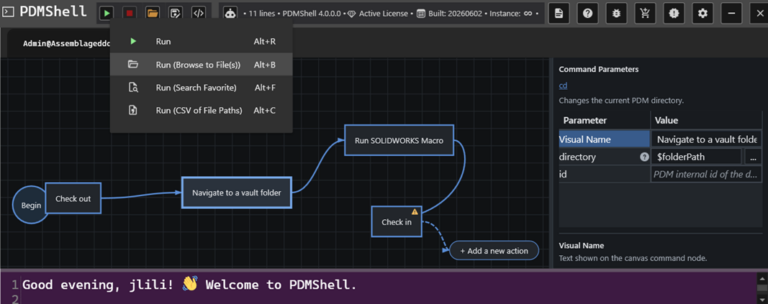
If you work in engineering IT or CAD administration, you’ve likely spent hours trying to make different software systems talk to each other. When searching for ways to automate these clunky processes, two tools with confusingly similar names always pop up: PowerShell and PDMShell. They sound like variations of the same thing, but they aren’t. One is a massive tool built by Microsoft for managing entire corporate networks. The other is a sharp, niche utility built by Blue Byte Systems specifically for SOLIDWORKS PDM Professional. Let’s break down what they actually do, how they differ, and why you might end up using both. The easiest way to understand the difference is by looking at what they were built to control. PowerShell is for your entire operating system and cloud environment. PDMShell is strictly for your SOLIDWORKS PDM vault. Feature PowerShell PDMShell What does it control? Windows, cloud servers, and networks SOLIDWORKS PDM vaults only Who made it? Microsoft Blue Byte Systems Inc. How do you use it? Advanced programming (.NET objects) Simple text scripts (.pdmshell) Who is it for? IT Admins and DevOps Engineers CAD Admins and Data Managers How do you get it? Built right into Windows Download from pdmshell.com PowerShell is Microsoft’s heavy-duty automation framework. It is incredibly powerful because it doesn’t just read plain text; it understands actual data objects. If an IT admin needs to create 50 new user accounts in Active Directory, back up a server to the cloud, or update software registry keys across an entire department, they use PowerShell. The downside? It has a steep learning curve. Because it is a full programming language tied to Microsoft’s .NET framework, you need a decent grasp of coding logic and complex syntax to get anything done. PDMShell: The SOLIDWORKS Short-Cut. If you’ve ever tried to customize SOLIDWORKS PDM, you know that interacting with its API usually requires writing complex C# or VB.NET code in Visual Studio. For a CAD manager who just wants to get a job done, this is often overkill. That is why Blue Byte Systems built PDMShell. It acts as a friendly middleman for the complex PDM API. Instead of writing lines of heavy code, you write simple text scripts using straightforward, built-in commands like checkout, checkin, or addtovault. It plugs right into your existing PDM Tasks and Dispatch actions, letting you automate boring vault tasks without needing a degree in software engineering.
Read More »

SOLIDWORKS Task Pane Icons: Fixing Transparency Issues

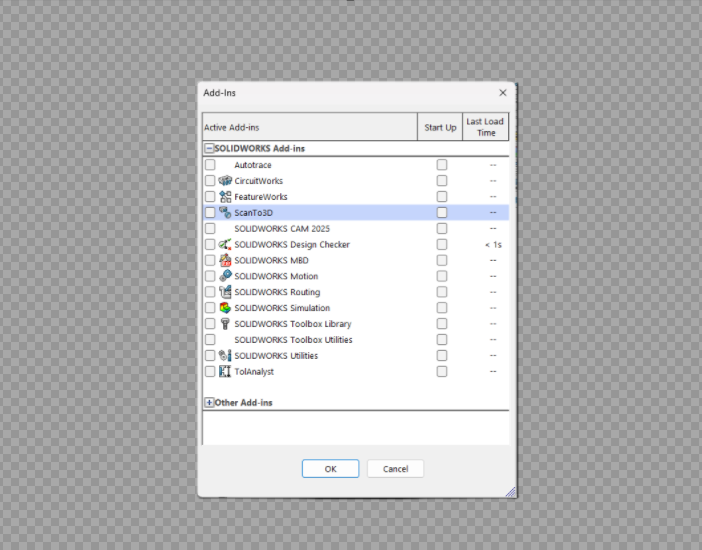
When creating a SOLIDWORKS task pane, the SOLIDWORKS API documentation says that icon transparency can be handled by using a specific background color. For CreateTaskpaneView3, the documentation explains that task pane bitmap images should use a 256-color palette, and that the transparent area should use the following color: The expectation is simple: wherever the icon uses that gray color, SOLIDWORKS should treat it as transparent. In practice, that does not always work. You may create the icon exactly as described, use the correct gray background color, and still see a gray box behind the icon inside SOLIDWORKS. The documentation suggests that this gray color should be treated as transparent. However, when the task pane loads, SOLIDWORKS may still display the gray background. This can make the task pane icon look unfinished or inconsistent with the rest of the SOLIDWORKS interface. This usually means the image background was not actually transparent. It was only colored gray, and SOLIDWORKS did not remove it during rendering. The Solution: I have not been able to verify this for older version of SOLIDWORKS. Instead of depending on SOLIDWORKS to interpret RGB(192, 192, 192) as transparent, remove the background from the image and save it as a PNG with real transparency. This gives SOLIDWORKS a cleaner image to work with and avoids the visible gray background issue. Use an image editor that supports real PNG transparency and layers. I highly suggest good old mspaint.exe. This works great if you are on Windows 11 with the AI-enabled MSPaint. The general process is: After saving, the background should be truly transparent instead of just colored gray in SOLIDWORKS.
Read More »

SOLIDWORKS API Memory Access Violations Caused by GDI Object Count and Unreleased COM Objects

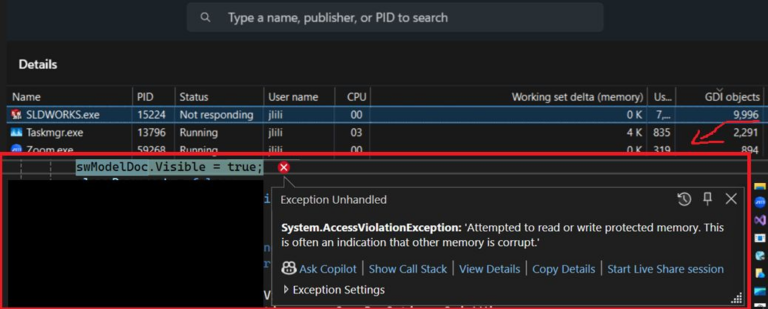
When building long-running SOLIDWORKS API tools, crashes are not always caused by high RAM usage. One of the most common causes of instability is excessive GDI object usage combined with unreleased COM objects. This often appears during batch automation jobs where SOLIDWORKS repeatedly opens documents, makes them visible, generates previews, switches windows, or captures images. The most typical symptom is the “Memory access violation” exception which tends to crash SOLIDWORKS. In many cases, the real issue is that GDI objects are slowly accumulating until the process reaches the Windows limit. What Causes GDI Object Leaks? GDI objects are Windows resources used for UI rendering. They include: In the SOLIDWORKS API, GDI count can increase rapidly if you repeatedly: At the same time, COM references to SOLIDWORKS objects can remain alive longer than expected if they are not released manually. Common SOLIDWORKS COM objects that should be released include: Opening documents silently is usually much safer than opening them visibly. When a document is made visible, SOLIDWORKS creates additional windows, previews, feature manager graphics, graphics pipeline objects, and UI resources. For example: swApp.Visible = true;var model = swApp.OpenDoc6(path, type, options, “”, ref errors, ref warnings); If this occurs repeatedly inside a large loop without proper cleanup, the GDI count can climb rapidly. This is especially common when processing: How to Monitor GDI Object Count You can monitor GDI usage directly in Windows Task Manager: Watch the SLDWORKS.exe process while your code runs. If the GDI count keeps climbing and never comes back down, you likely have a leak. Once a process gets close to around 10,000 GDI objects, crashes and instability become much more likely. Best Practices to Avoid Crashes 1. Dispose Graphics Resources Always wrap GDI-related objects in using blocks: using (Bitmap bmp = new Bitmap(width, height))using (Graphics g = Graphics.FromImage(bmp)){ g.Clear(Color.White); // Draw content here bmp.Save(outputPath);} This applies to: 2. Close Documents Immediately Never leave documents open longer than necessary: ModelDoc2 model = null;try{ model = swApp.OpenDoc6(path, type, options, “”, ref errors, ref warnings); // Process document}finally{ if (model != null) { swApp.CloseDoc(model.GetTitle()); Marshal.ReleaseComObject(model); model = null; }} 3. Release COM Objects Aggressively SOLIDWORKS API objects often remain alive even after they go out of scope. Release them manually: if (feature != null){ Marshal.ReleaseComObject(feature); feature = null;}if (component != null){ Marshal.ReleaseComObject(component); component = null;} This is especially important in loops processing hundreds or thousands of components, features, faces, or bodies. 4. Periodically Force Garbage Collection For large batch operations, periodic garbage collection can help reduce memory pressure: GC.Collect();GC.WaitForPendingFinalizers();GC.Collect(); This should not replace proper disposal and COM cleanup, but it can help stabilize long-running jobs. 5. Prefer Silent Processing Whenever possible, process documents silently instead of visibly: int options = (int)swOpenDocOptions_e.swOpenDocOptions_Silent; This reduces UI overhead and significantly lowers GDI usage. Final Thoughts If your SOLIDWORKS API application crashes after running for a long time, do not assume the issue is only RAM usage. Monitor GDI objects, dispose of graphics resources, close documents immediately, and aggressively release COM references. These small changes can make a major difference in the stability of long-running SOLIDWORKS automation tools, especially when processing large assemblies, exporting files, or generating previews. For large PDM tasks, image generation, PDF export, or batch automation jobs, careful cleanup is often the difference between a stable application and one that crashes after a few hundred files.

Read More »

30 SOLIDWORKS API Tricks in 45 Minutes – Live at Hawk Ridge Systems D2M

BLUE BYTE SYSTEMS INC. is bringing SOLIDWORKS customization to the Hawk Ridge Systems Design-to-Manufacturing (D2M) conference this year.  Amen Jlili, Founder and Technical Director of Blue Byte Systems, will be leading this session aimed at engineers wanting to automate, optimize, and extend SOLIDWORKS using the API. He will go through 30 tested API tips and tricks used in solutions Blue Byte Systems Inc has developed and deployed around the world for customers in the manufacturing and aerospace industries. What’s the presentation about? In those 45 minutes, you will learn tips and tricks about SOLIDWORKS API: When is the presentation? Date: October 30th 2025Time: 11:30 AM – 12:15 PM PSTRegistration: To attend, please follow this link.

Read More »

How to Register a SOLIDWORKS Add-in DLL (64-bit)

If you are developing a SOLIDWORKS add-in as a .NET Framework (version 4 and older) application, you will need to register your SOLIDWORKS Add-in DLL so that SOLIDWORKS can find it and load it. This guide explains how to register a SOLIDWORKS add-in DLL (64-bit) and covers manual registration for developers who will register from the command-line program. Disclaimer: This method will only work for the old legacy .NET Framework 2, 3, and 4. Step-by-Step Instructions (64-bit or Any CPU) This is normal during development. You should, when in production, use a strong name key to sign your assembly. What About 32-bit Registration? What About 32-bit DLLs? You are only required to register 64-bit DLLs for all of today’s current versions of SOLIDWORKS, as all of them run as SolidWorks 64 bit applications. The only time you would, in fact, have to register a 32-bit DLL is if you’re targeting SOLIDWORKS 2013 or earlier. The process is the same, but uses the 32-bit version of RegAsm.exe: C:\Windows\Microsoft.NET\Framework\v4.0.30319\RegAsm.exe Unregistering The Add-in If you want to remove the add-in (e.g., cleaning up or switching between builds), just run: C:\Windows\Microsoft.NET\Framework64\v4.0.30319\RegAsm.exe /unregister PDMPublisher.dll Still Need Help? At Blue Byte Systems, we develop and maintain professional SOLIDWORKS add-ins for automation, analysis, UI enhancements, and system integration. If you are experiencing problems or require a dependable API resource, we are here to assist you with guides like how to register a SOLIDWORKS add-in DLL (64-bit). 👉 Contact us today to find your custom solution!
Read More »

Automatically Refresh Drawing Sheet Formats in SOLIDWORKS with VBA

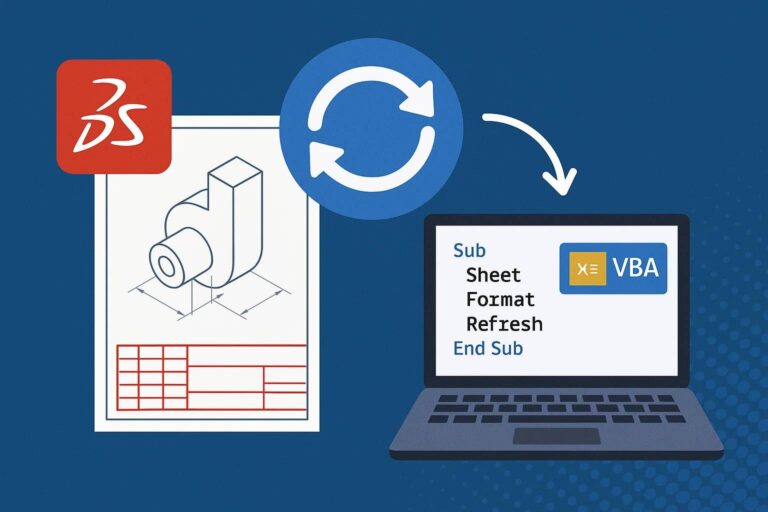
Managing large drawing sets in SOLIDWORKS often means working with inconsistent or outdated sheet formats. Whether due to legacy templates, changes in company standards, or imported files, it’s not uncommon to find drawing sheets that don’t match the expected formatting. This macro solves that by automatically refresh drawing sheet formats in SOLIDWORKS with VBA, ensuring every sheet stays aligned with the latest standards. What This Macro Does When Should You Use It?

Read More »
0
    0
    Your Cart
    Your cart is emptyReturn to Shop