
 USD
USD CAD
CAD EUR
EUR GBP
GBP AUD
AUD NZD
NZD CHF
CHF SEK
SEK NOK
NOK JPY
JPY CNY
CNY INR
INR SGD
SGD MXN
MXN BRL
BRL ZAR
ZAR KRW
KRW
Disclaimer: The information shared in this article is intended to show how easy it is to unlock the password protection of any SOLIDWORKS VBA macro. Please do not use this for any other reason.
Unlock Any VBA Macro In 5 Minutes
- Well, to unlock a password-protected macro, we need to start by downloading a tool like HxD, a hexadecimal binary editor. This will help us patch one or two entries in the .swp file — a common approach often used when attempting to crack any SolidWorks password protected VBA macro.
- You probably have a password-protected VBA Macro while reading this article. If you don’t have a guinea pig, you can download this SOLIDWORKS VBA macro.
- Make sure the macro is not being used by any application (i.e., SOLIDWORKS). This will prevent HxD from making changes to it.
- Launch HxD:
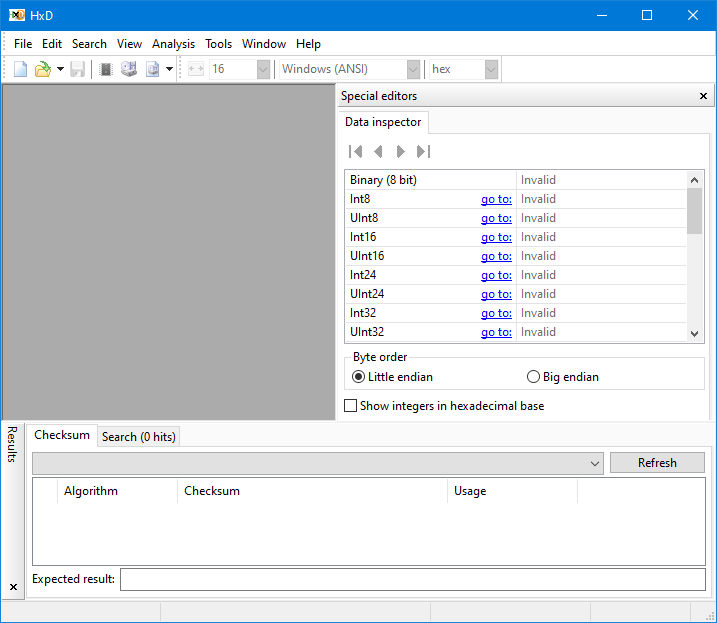
- In HxD, go to File > Open and then browse to the password-protected macro’s file and click on it to open it.
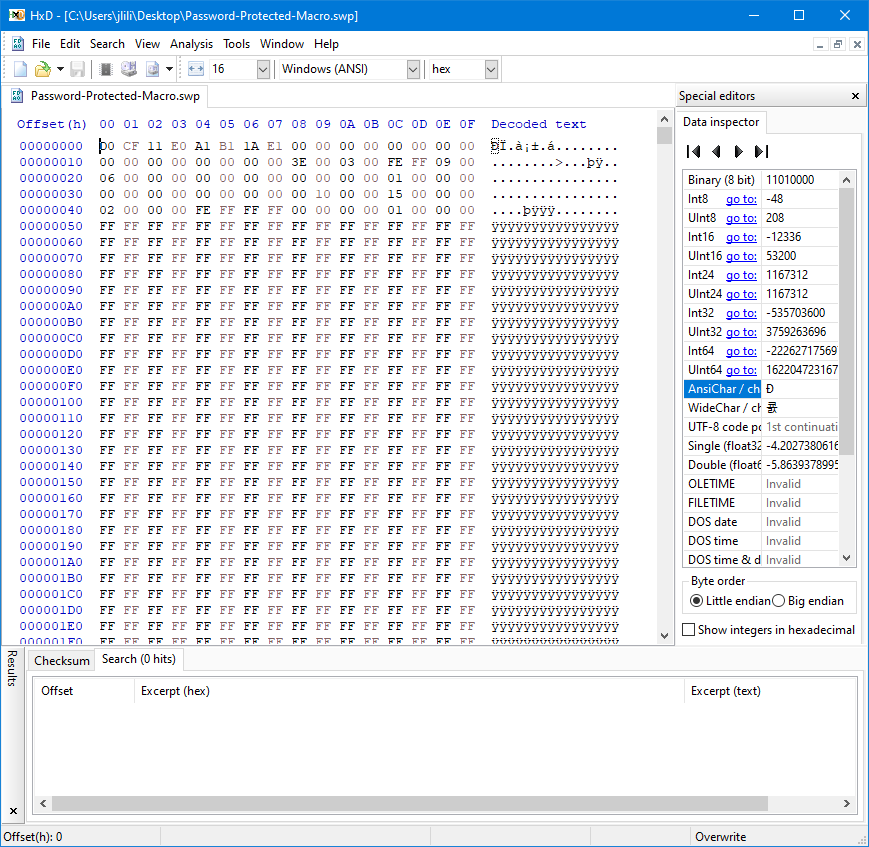
- Now, press Ctrl + F, and look for “DPB“. Usually, there is more than one occurrence.
- For each occurrence of “DPB,” select the letter B and change it to x.
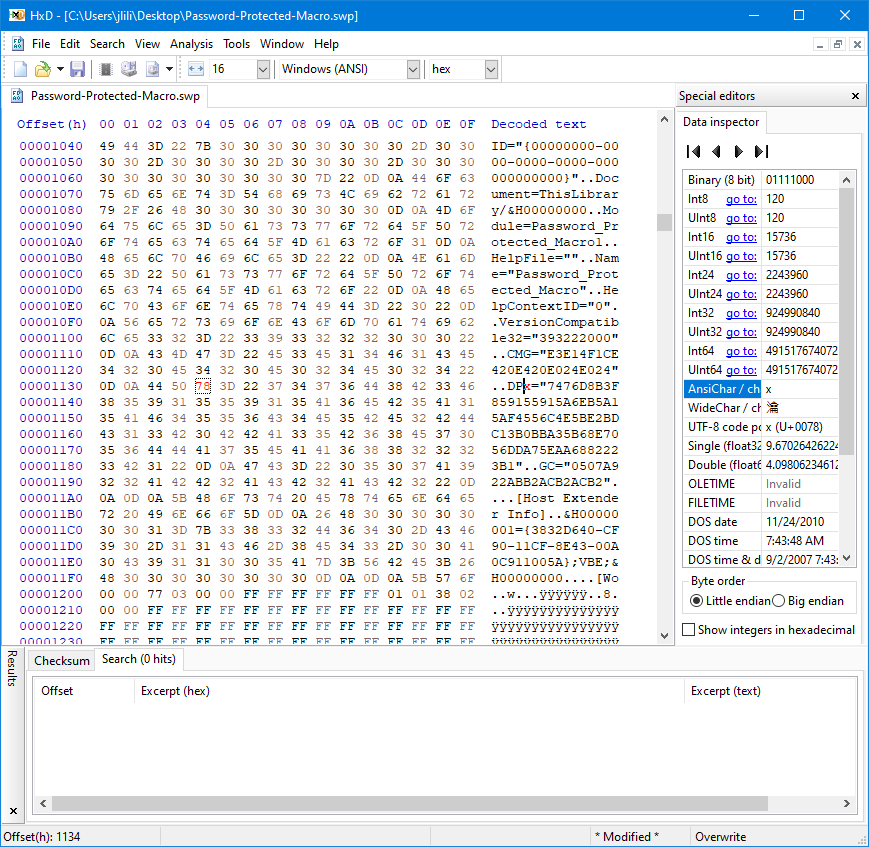
- After replacing all occurrences of B with x in DPB, go to File and click on Save As.
- Save the macro using a different name so you do not override the original one.
- Open the macro in SOLIDWORKS by going to Tools > Macro > Edit…
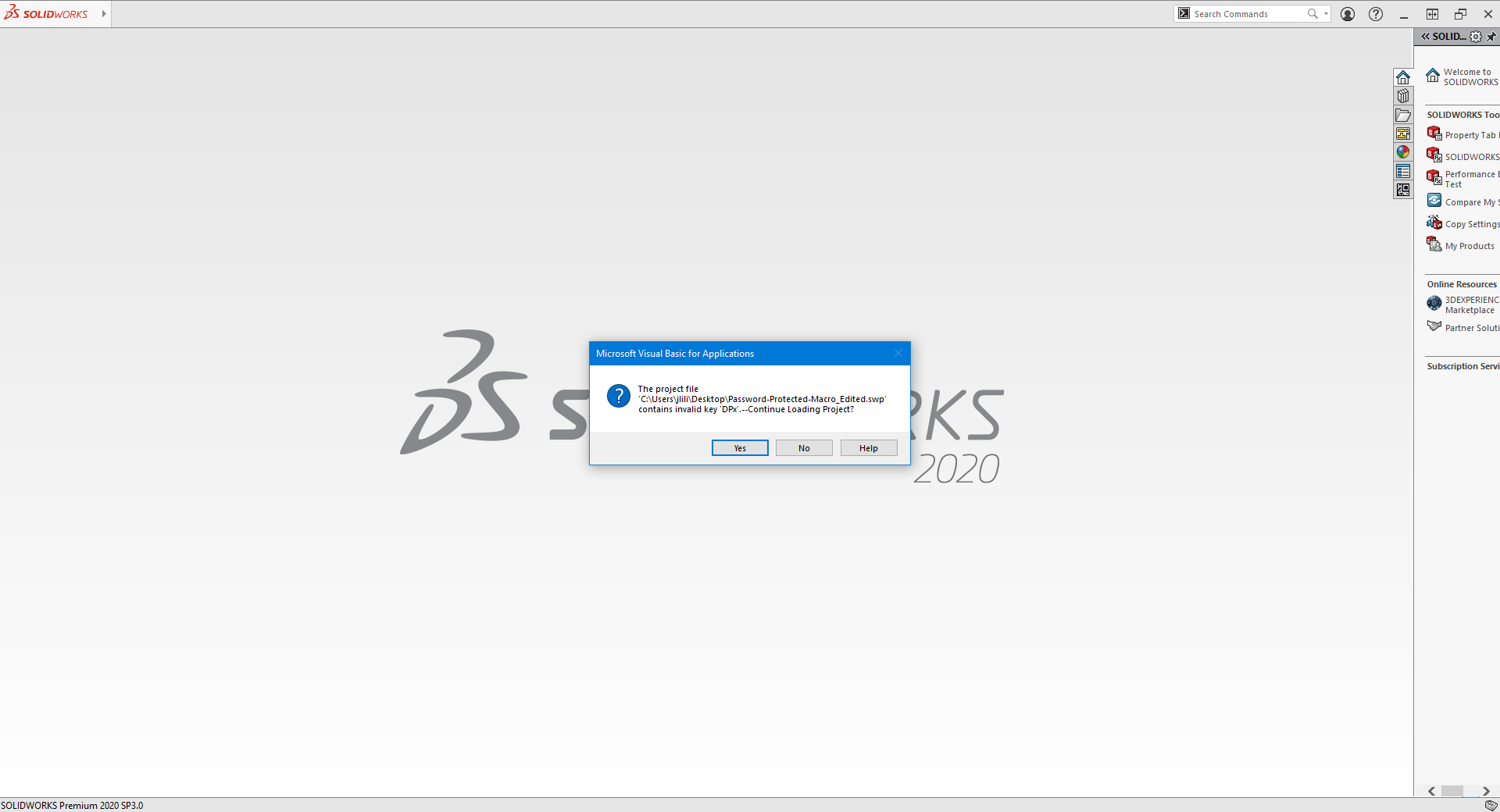
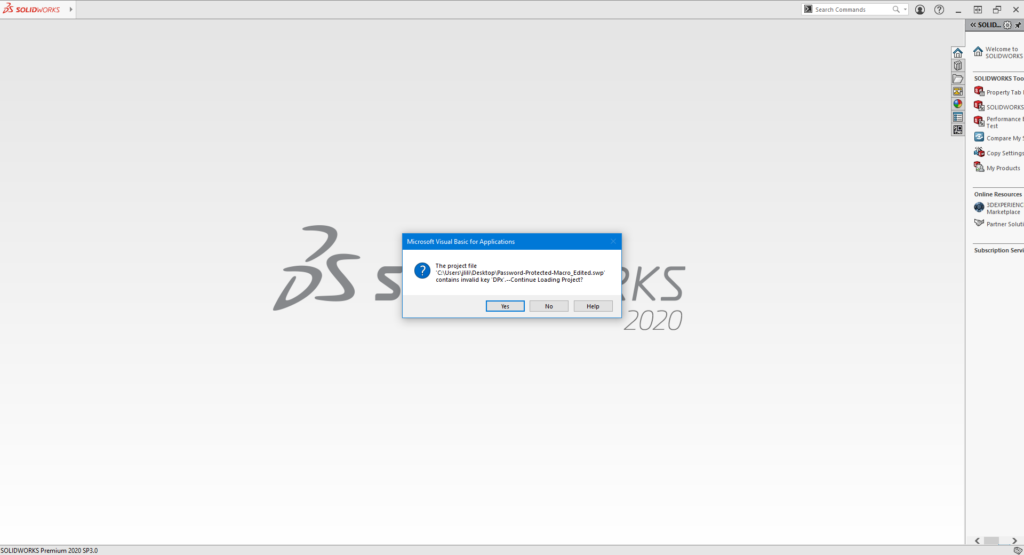
- You will get a message stating that the project file contains an invalid key “DPx” and asking you if you want to continue loading the project. There, click on Yes.
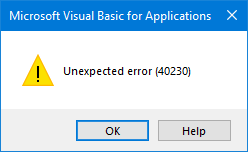
- For each module in the main project, the VBE will show the following dialog. Click on OK to confirm each time.
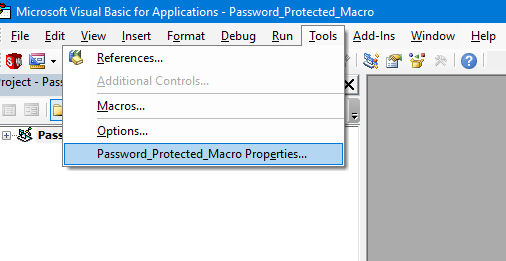
- When the VBE editor opens, go to Tools > Properties.
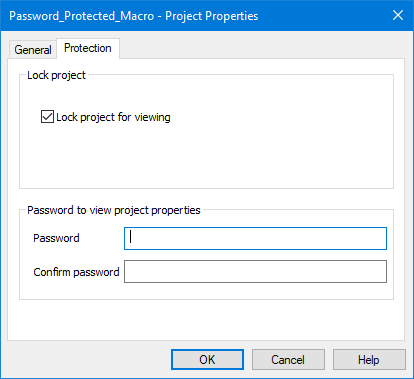
- Go to the Protection tab and change the password, then you may click OK. This effectively allows you to remove password from VBA.
- Make sure to save the macro.
- Close and then reopen the SolidWorks software.
- Edit the macro again, and you should be able to view the source code with your new password.
This technique can be considered a type of SolidWorks crack for accessing password-protected content.
What Do I Need To Do To Protect My Code?
Unfortunately, not much. Macros are pretty awesome. Their security is not. It doesn’t take a lot of skill for someone to crack any SolidWorks password protected VBA macro, which is why relying on a simple password isn’t enough. Here at Blue Byte Systems, Inc., we encourage all of our customers to consider the option of upgrading their VBA macros to add-ins. We employ the latest code obfuscation tools to make it extremely hard for anyone to reverse engineer your code. Contact us for a quote on how to protect your SOLIDWORKS VBA macro.