
 USD
USD CAD
CAD EUR
EUR GBP
GBP AUD
AUD NZD
NZD CHF
CHF SEK
SEK NOK
NOK JPY
JPY CNY
CNY INR
INR SGD
SGD MXN
MXN BRL
BRL ZAR
ZAR KRW
KRW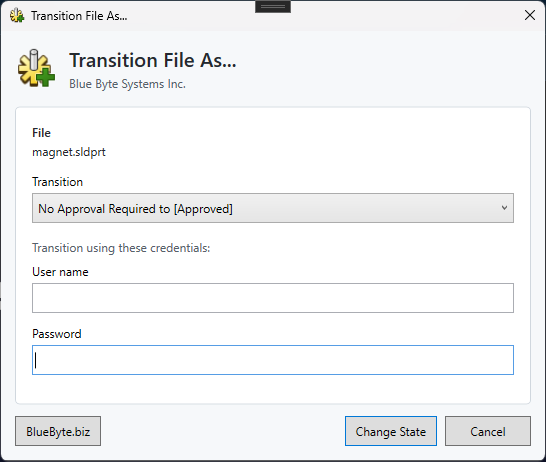
How it works
One small dialog replaces the usual log out, log in as someone else, change state, log back in routine.
- Select the file in PDM Explorer and open Transition File As.
- Choose the transition from the list, for example No Approval Required to Approved.
- Enter the credentials of a user who is allowed to make that transition, then click Change State.
Installing the add-in
New to PDM add-ins? This walkthrough shows how to add an add-in to your vault with the PDM Administration tool.