

Are you using SOLIDWORKS PDM Professional to manage your product’s CAD data, but still missing an essential part of your release process? While your vault tracks changes and updates the Bill of Materials (BOM) for every part, automating the export of that BOM to an Excel (.xlsx) file might still be a challenge. And of you are finally ready to start exporting PDM BOMs to Excel in a reliable, automated way, this approach can streamline the task and make it heppen automatically, without any extra steps.
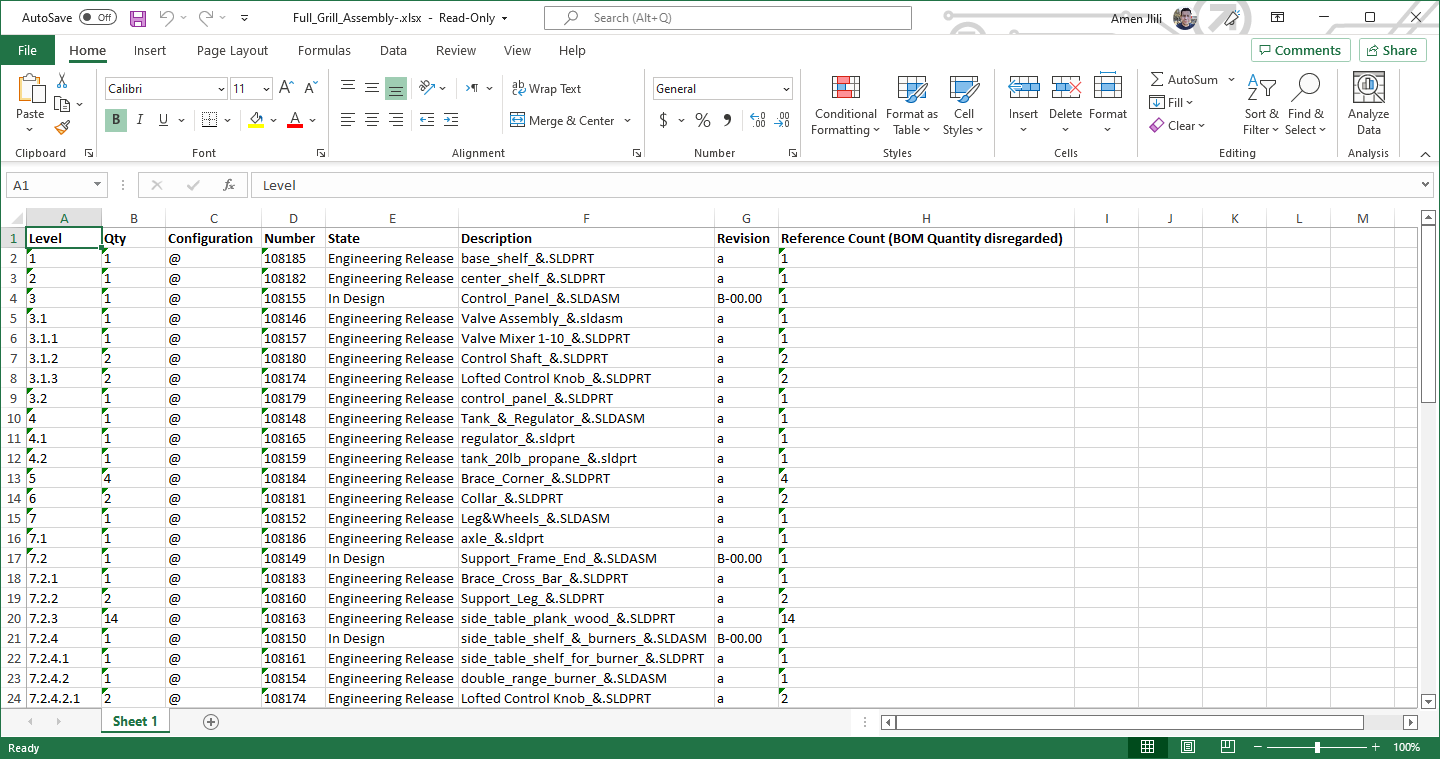
Automating SOLIDWORKS BOM to Excel Export with PDM
Imagine being able to automatically export a customized Bill of Materials for a top-level assembly directly to a network drive—ready for your purchasing department or anyone else who needs it—right when you release that assembly.
No manual exports, no extra clicks, just a seamless process from design to procurement.
With the right tool, like PDM2Excel, you can automate the export of BOM data in a clean, professional Excel format that fits your workflow.
Key Features
- Custom BOM Exports: Easily configure which BOM columns are included in the export. Whether you want to show only part numbers and quantities, or more detailed information like file names, you can tailor the export specifically to your needs.
- File Naming Automation: Ensure every exported Excel file has the right details in its filename. Include the configuration name, revision, date, and even custom variables like project numbers to keep everything organized.
- Target-Specific Configurations: If you’re managing complex assemblies, PDM2Excel allows you to export BOMs for specific configurations—like the default configuration—without hassle.

Why Excel Exports Matter for Your SOLIDWORKS PDM Workflow
Automatically exporting the BOM to an Excel format helps streamline communication between departments. For example, your purchasing team will always have access to the latest parts-only BOM, ensuring smooth procurement processes without the risk of outdated information.
Additionally, automating this task means fewer manual steps in your release process, reducing errors and speeding up workflow. This level of automation is essential for teams that manage large product data sets and want to stay agile in their operations.
Optimize Your Workflow with Thumbnails
Another feature to consider in your workflow optimization is the use of thumbnails within your exported BOM. Including part thumbnails in your BOM files can help visualize components, improving clarity for teams unfamiliar with the design. This is especially beneficial for non-engineering departments, like procurement, that may need a quick reference for visual identification of parts.
Supercharge Your SOLIDWORKS PDM Experience
Whether you’re looking to automate the export of SOLIDWORKS BOMs, customize your Excel files, or integrate thumbnails for better clarity, PDM2Excel is the solution that makes it all happen. With PDM2Excel, you can:
- Automatically generate Excel BOM files
- Target specific configurations
- Include key details in the filename
- Optimize communication between engineering and purchasing teams