
 USD
 CAD
 EUR
 GBP
 AUD
 NZD
 CHF
 SEK
 NOK
 JPY
 CNY
 INR
 SGD
 MXN
 BRL
 ZAR
 KRW
PDMPublisher vs myCADtools and CUSTOMTOOLS
PDMPublisher puts publishing, property fixes, assembly copies, BOMs and ERP sync in one SOLIDWORKS tab, with a free edition, published pricing and support straight from the developers. Here is how it compares with myCADtools and CUSTOMTOOLS.
No license key needed for the Community Edition, and it never expires.
At a glance
None of the three needs SOLIDWORKS PDM. They differ in scope, in how they are licensed and in what you can see before you buy.
 PDMPublisher | myCADtools | CUSTOMTOOLS | |
|---|---|---|---|
| Made by | Blue Byte Systems | Visiativ (France) | ATR Soft (Finland) |
| Works without PDM | ✓Yes | ✓Yes | ✓YesPDM is optional. |
| Batch export | ✓PDF, DWG, DXF, STEPPlus eDrawings and more, with your naming and output folders. | ✓BatchConverterAll SOLIDWORKS neutral formats, several at once, with names built from properties. | ✓Batch ProcessingModule for batch conversion and printing. |
| Watermarks and QR codes | ✓On every output | ✕ | ✕ |
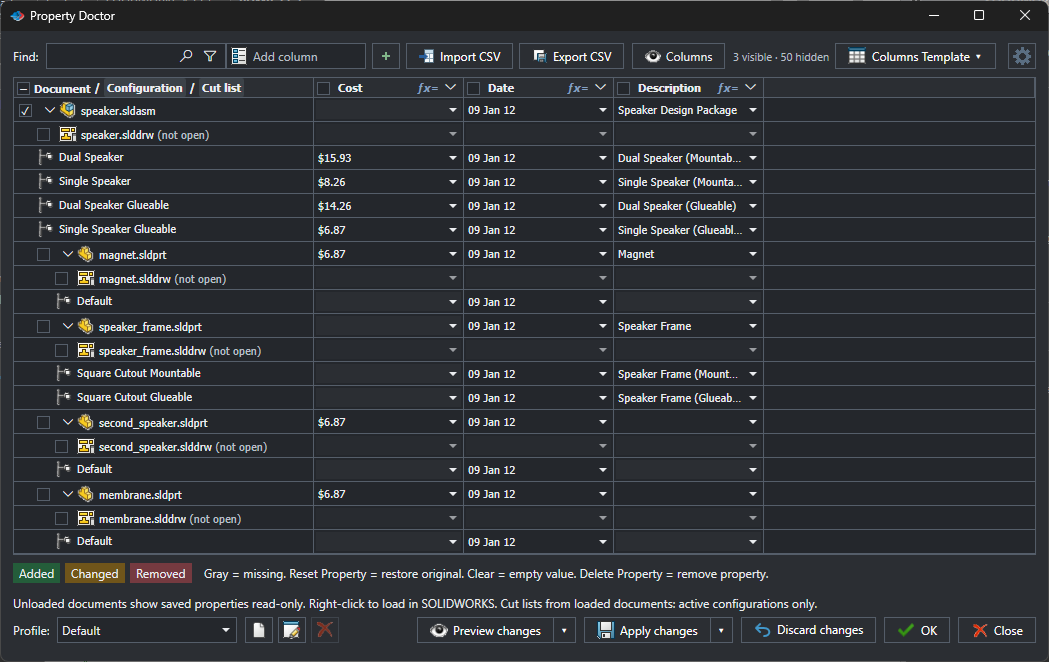
| Bulk property editing | ✓Property DoctorCustom, configuration and cut list properties across a whole assembly in one grid. | ✓BatchPropertiesBatchProperties and SmartProperties. | ✓Property Management |
| Copy an assembly | ✓Clone TreeCopy an assembly and its references with new names and folders. Save As New adds naming profiles and PDM serial numbers. | ✕ | ✕ |
| ERP connectors | ✓Odoo, ERPNext, BCOdoo, ERPNext and Business Central connectors are included in Premium. | ✕ | ✓Odoo, BC, NAV, OscarERP Connector: €3,000 for up to 10 users, plus €200 per user per year. Needs CUSTOMTOOLS Professional. |
| Support | ✓Direct, North American hoursSupport comes straight from the developers who build the product, during North American business hours. | Through Visiativ | From ATR Soft |
| Published price | ✓From US$299/seat/yrUS$399 per seat per year for 1 seat, US$349 for 2 to 4 and US$299 for 5 or more. Perpetual licenses available. | ✕ | ✓€500 to €1,000/userOne-time per user (Basic or Professional), plus €250 per year maintenance. Excludes VAT. |
| Free version | ✓Community EditionPDF, DXF and STEP with up to 5 references per run. No key, no expiry. | ✕ | ✕ |
| Free trial | ✓7 days | ✓30 days | ✓30 days |
✓ Listed on the vendor’s website · ✕ Not listed or not published · Tap + for details
Sources: mycad.visiativ.com, help.visiativ.com and visiativ.co.uk (myCADtools), atrsoft.com (CUSTOMTOOLS features and pricing), checked in October 2026. Prices exclude VAT. Products change, so tell us if anything here is out of date and we will fix it.
See it in action
Short videos from the PDMPublisher playlist. Click any video to watch it here.

Why teams choose PDMPublisher
Everything you do before a release, in one tab inside SOLIDWORKS.
One tab, every release task
Publish, Save As New, Property Doctor, Clone Tree, BOM Manager and ERP Sync, without switching tools.
ERP connectors included
Odoo, ERPNext and Business Central come with Premium. No separate connector license.
Try it on real work
The Community Edition never expires, prices are on the website, and support comes straight from the developers in North American hours.
What PDMPublisher does before every release
Save your profiles once and reuse them for parts, assemblies and drawings.
Publish
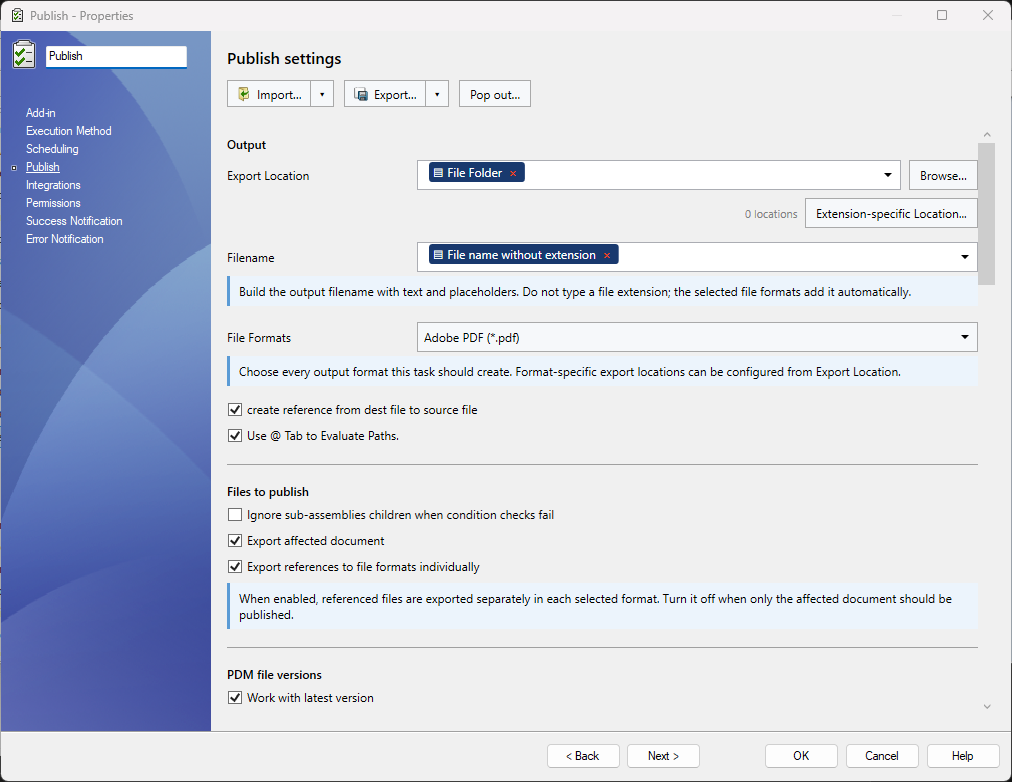
PDF, DWG, DXF, STEP and eDrawings in one go, with your naming, folders and only the files that match your rules.
Property Doctor
Fix custom, configuration and cut list properties across an assembly in one grid.
Clone Tree
Copy an assembly and its references with new names and folders.
BOM Manager and ERP Sync
Export indented or flat BOMs to Excel, or push items and BOMs to Odoo, ERPNext or Business Central.
See every tool in the PDMPublisher documentation.
Built-in Odoo connector, and a PDM version for the whole team
Two things you will not find in myCADtools or CUSTOMTOOLS without extra licenses.
Push items and BOMs to Odoo
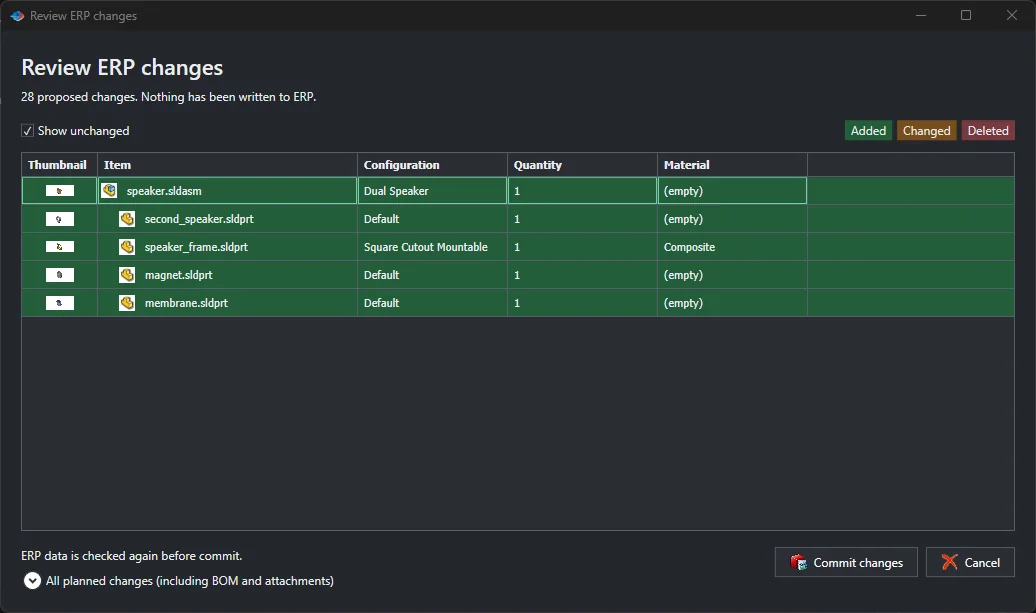
ERP Sync creates Odoo products, fills their fields from your custom properties and builds the bill of materials from the open assembly.
You review every added, changed or removed line before anything is written. ERPNext and Business Central connectors are included too, and ERP Sync is in the free Community Edition for up to 10 rows.
PDMPublisher for SOLIDWORKS PDM
Prefer hands-off publishing? The PDM Professional task version runs on your PDM server. When a file reaches the workflow state you choose, it exports the drawings, models and documents your shop floor, suppliers and ERP need, then names, merges, stamps and files them from data card variables.
One license per vault covers every user, for US$1,499 per vault per year, with a 7-day free trial.
What customers say
This product has helped immensely with aiding our procurement dept in being able to find what they need to source our weldments, without asking Engineering any questions. Setup was extremely easy and support is fantastic.
This product has saved my team many hours a week in compiling PDF files. Amen has been extremely responsive and helpful getting us up and running and troubleshooting any issues we may have.
Questions
Do I need SOLIDWORKS PDM to use PDMPublisher for SOLIDWORKS?
No. The add-in works with or without a PDM vault, so designers can publish and prepare files on any workstation.
Is there a free version?
Yes. The Community Edition publishes PDF, DXF and STEP with up to 5 references per run, and includes every tool with row limits. It needs no license key and does not expire.
How is PDMPublisher priced?
Premium is US$399 per seat per year for one seat, US$349 per seat for 2 to 4 seats and US$299 per seat for 5 or more. Multi-year and perpetual licenses are also available.
Can it replace the SOLIDWORKS Task Scheduler for exports?
For publishing, yes. Batch-export PDF, DWG, DXF and STEP on demand from one tab, with your own file names and folders.
Where does the comparison information come from?
From each vendor’s public website, checked in October 2026. If something has changed, email support@bluebyte.biz and we will update this page.
Publish your next release in one click
Download the free Community Edition and try it on real work, or start a 7-day trial with every Premium tool and format.
myCADtools is a product of Visiativ. CUSTOMTOOLS is a product of ATR Soft. All trademarks belong to their owners. Blue Byte Systems is not affiliated with either company.