


Disclaimer:
- This post is not about the PDM Web2 viewer.
- This feature is not available with SOLIDWORKS PDM Standard.
In 2022, SOLIDWORKS Corp. quietly released documentation for its SOLIDWORKS PDM web API. This feature of PDM Professional installs an IIS web application (Web API) that exposes certain elements of your vault to the web. Any web application can now access your PDM vault, provided IIS and your firewall are configured correctly.
As usual, this feature is only available with PDM Professional. At first glance, the documentation is quite dry, if not unreadable. After a couple of back-and-forths with API support, SOLIDWORKS confirmed that the docs were auto-generated and that they plan to create proper documentation in the future. The API support team was able to walk through some of the most common endpoints and showcase how to make the proper calls.
In this article, I’d like to go over the authentication endpoint and the file information endpoint. Before we do that, you need to install the Web API component. For further SOLIDWORKS PDM API help, you can always contact our team.

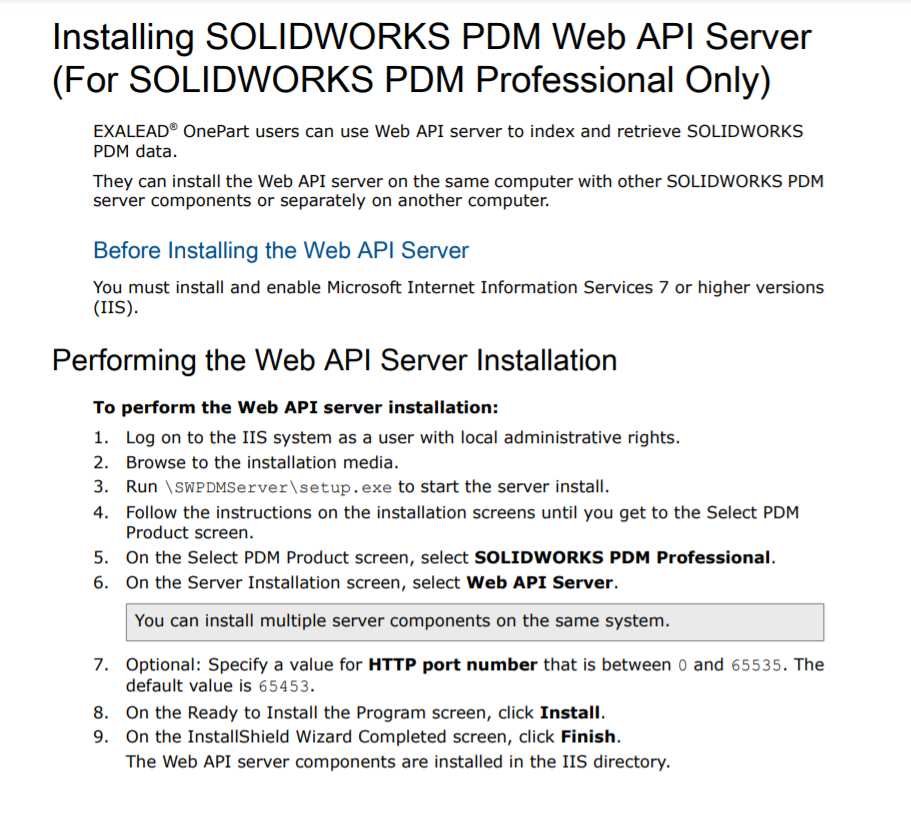
Once you have the web API installed, you need to make sure to:
- Add a firewall rule to allow communication via the 65453 port.
- Edit the basic settings of the web application in IIS and enable the authorization for the Windows user profile that is running the application:

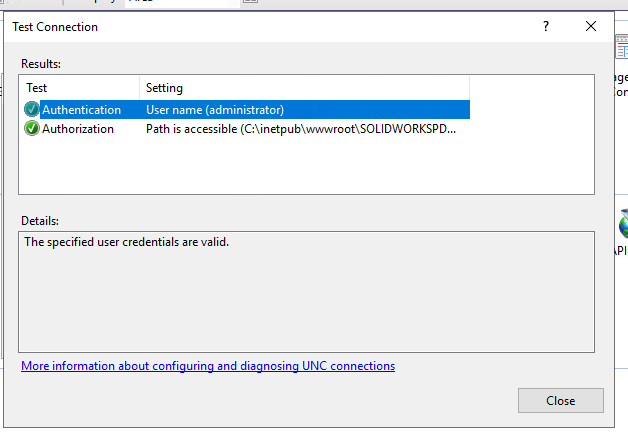
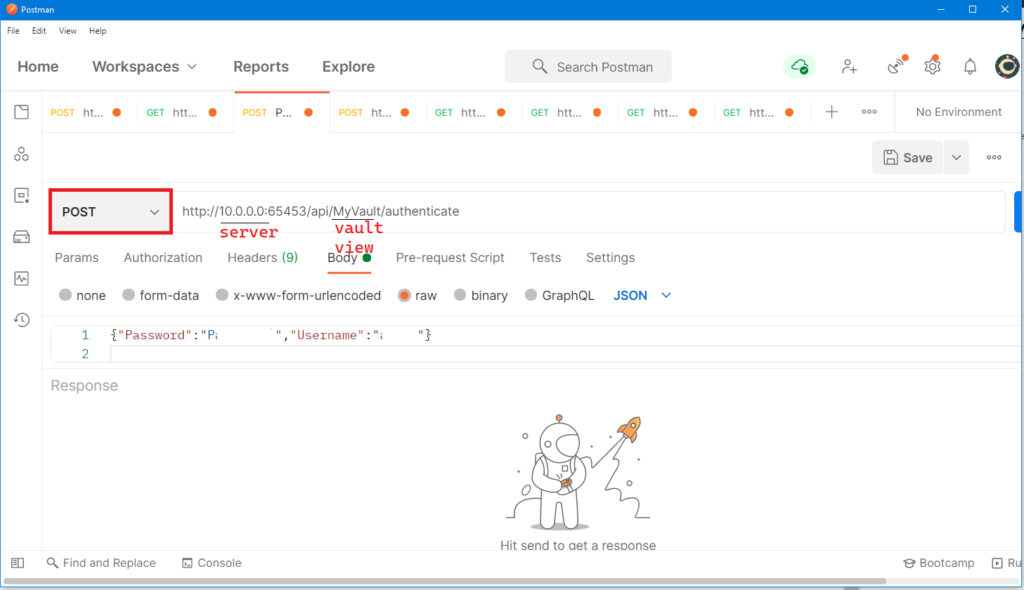
Once done, you can use Postman to hit the authentication endpoint like this:
- The request is of type POST
- Url: http://server:65453/api/VaultName/authenticate
- Headers: Add a Content-Type with a parameter of application/json
- Finally, a raw body with the following value:
{"Password":"this is my super hard admin password","Username":"admin"}
Your response should look like this:

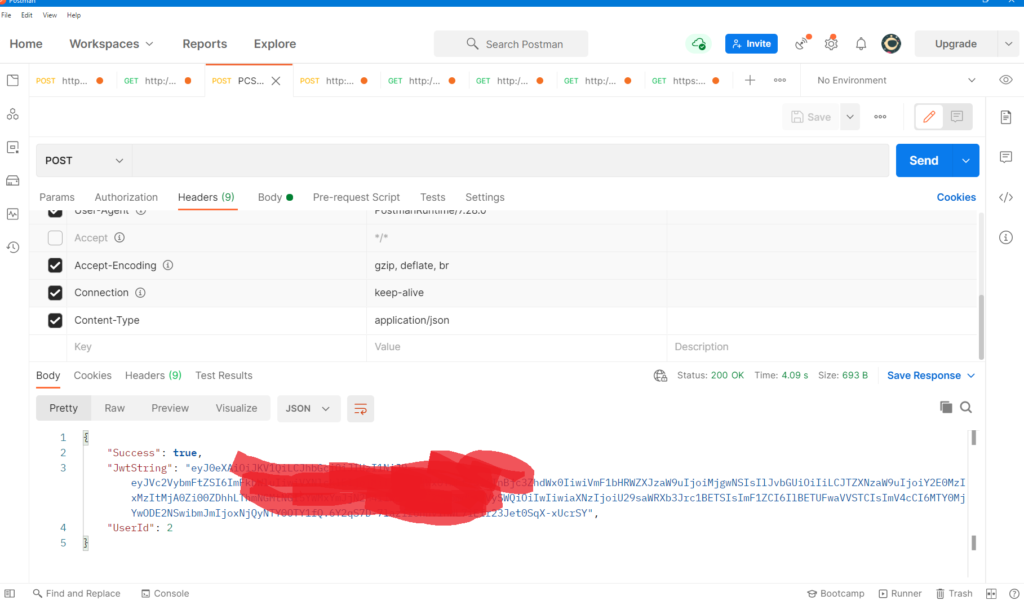
You will need to use the JwtString (Access token) in subsequent calls. In Postman, just make sure you add the JwtString as a bearer token. This can be done from the Authorization tab.

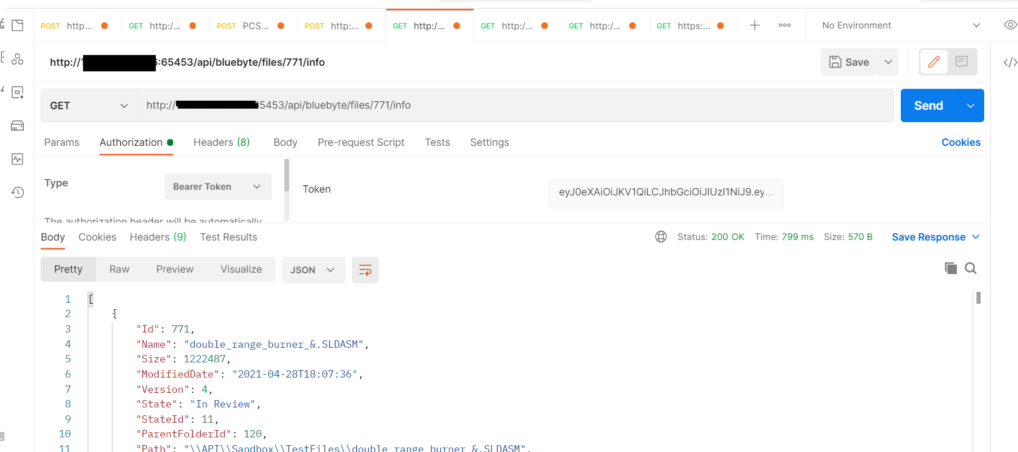
Unfortunately, there is no way to determine when the access token expires. It seems that in this version of the SolidWorks PDM Web API, you need to continue using the token until you receive an unauthorized exception. API support has indicated that they are aware of this and will likely include this as an improvement in the future.
What’s Next?
- If you are interested in connecting SolidWorks PDM API with your web application, please reach out to us. We’d love to help you understand the PDM Web API JSON object model and provide a comprehensive SolidWorks PDM implementation guide.
- Our PDM Web API client can save a lot of time, allowing you to focus on what’s more important. Contact us for sales information.